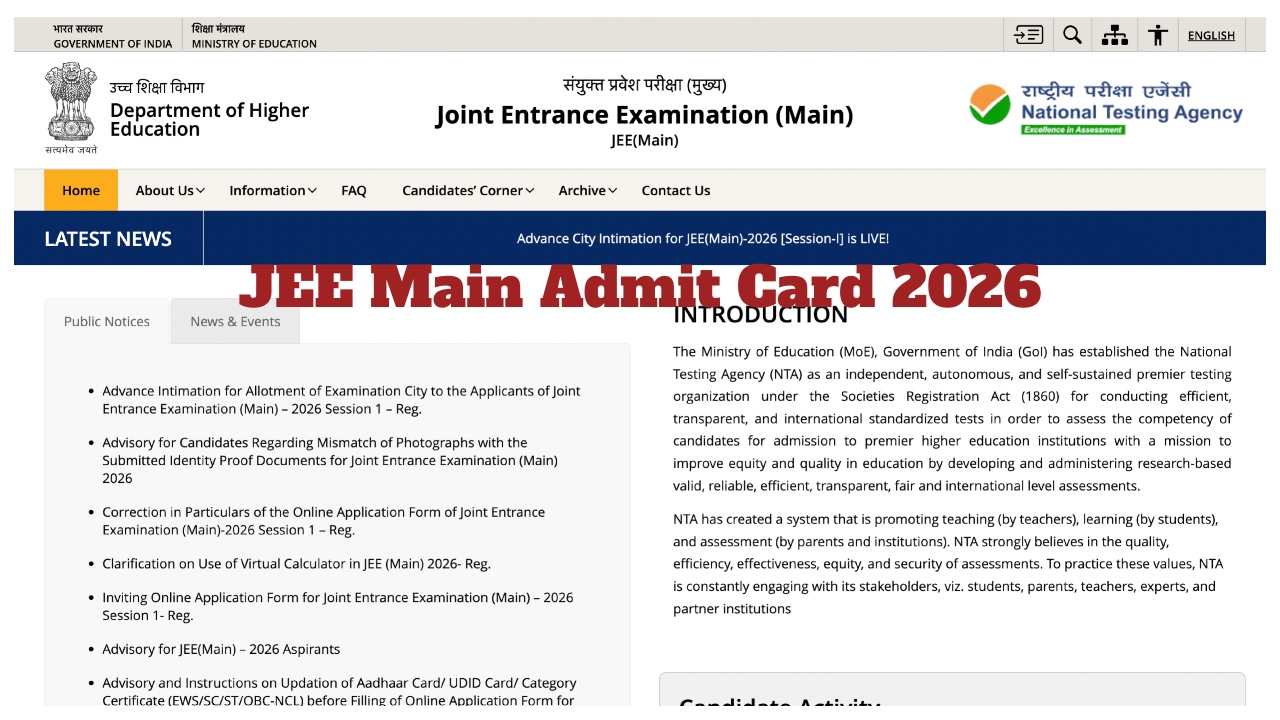
JEE Main Admit Card 2026: Students who have applied for the Joint Entrance Examination (Main) 2026 are eagerly awaiting their admit cards. According to the brochure released by the National Testing Agency (NTA), the admit cards will be made available for download 3 or 4 days before the exam date. Since the exam is scheduled to start on January 21, the JEE Main Session 1 Admit Card will be released on January 17 or 18. Let’s learn how to download the admit card from the official website.
Where and How to Download
Admit cards will be released online on the official website at jeemain.nta.nic.in. No hall tickets will be sent to any students offline via post or any other means.
You need to visit the official website jeemain.nta.nic.in.
Click on the admit card link in the LATEST NEWS section on the website’s homepage.
Enter your application number, password, and the provided code, then click submit.
The admit card will then open on the screen.
You can download it and print it.
The National Testing Agency (NTA) will conduct the JEE Main 2026 Session 1 Paper-1 (BE and B.Tech) exam from January 21, 2026, to January 30, 2026. The exam will be conducted in two shifts. The first shift will be from 9 AM to 12 PM, and the second shift will be from 3 PM to 6 PM. Paper 2 for B.Arch and B.Planning will be conducted on April 9, 2025, from 9:00 AM to 12:30 PM.
JEE Main 2026 City Intimation Slip Download Steps
Steps to download the city intimation slip:
Step 1: Visit the official website at jeemain.nta.nic.in.
Step 2: Look under Candidate Activity and click on Advance City Intimation for JEE(Main)-2026 [Session-I].
Step 3: A new page will open. Step 4: Enter your application number and date of birth.
Step 5: Submit the details and download your city intimation slip.
Step 6: Save the slip and take a printout for future reference.