

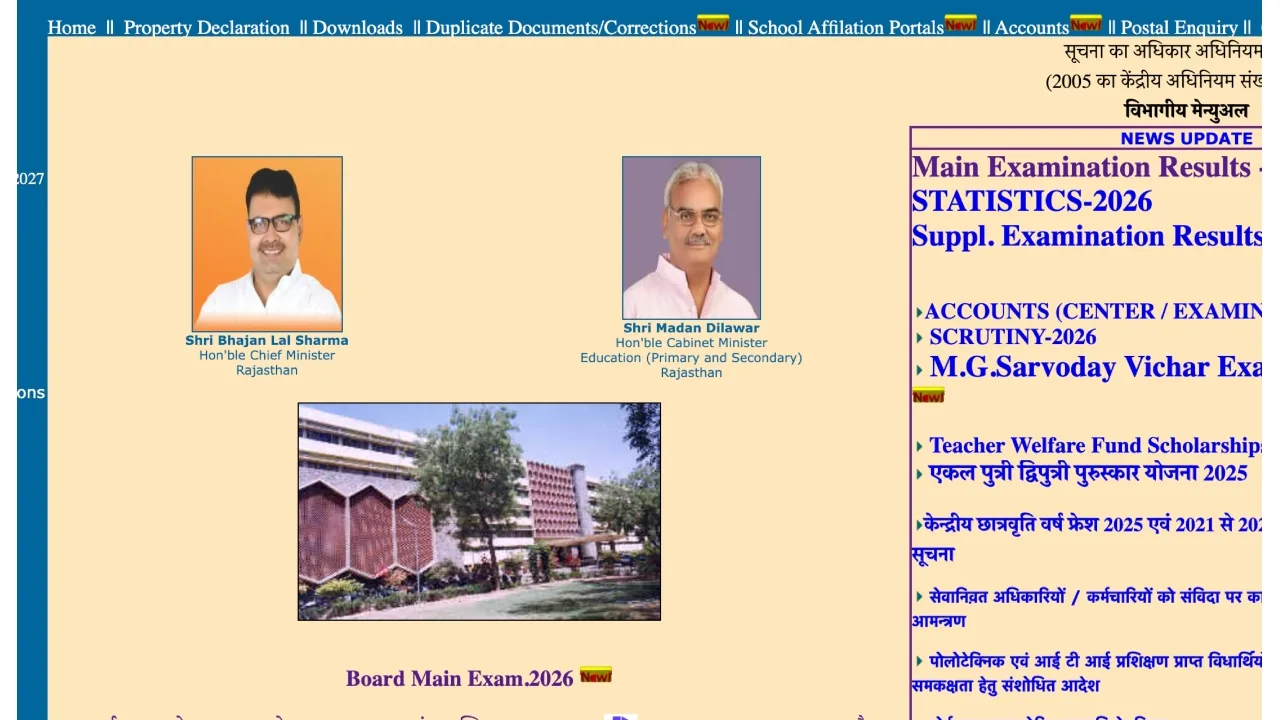
RBSE Supplementary Result 2026 Declared:- The Rajasthan Board of Secondary Education (RBSE) has released the results for the Class 10th and 12th supplementary examinations. Candidates who appeared for the examination were eagerly awaiting their results. Students who appeared for the compartment or improvement examination can now check their scores by visiting the official RBSE website at rajeduboard.rajasthan.gov.in or rajresults.nic.in. Students will need login credentials to check their results.
How to Download RBSE Supplementary Result 2026?
Visit the official website of the Rajasthan Board at rajeduboard.rajasthan.gov.in
Click on the “Suppl. Examination Results – 2026” link displayed on the homepage.
Enter your Roll Number in the login window.
After entering your Roll Number, click on the ‘Submit’ button.
Your supplementary result will be displayed on your computer screen.
Finally, download the online marksheet and take a printout for future use.
Check These Scorecard Details
Student’s Name
Roll Number
Mother’s and Father’s Names
Marks Obtained in Theory and Practical Exams
Total Marks and Percentage
Qualifying Status
When was the exam held?
The Rajasthan Board conducted the Class 10th and 12th supplementary exams between May 14 and May 16, 2026. After downloading the Class 10th and 12th supplementary exam results, be sure to carefully check the information provided, such as your name, exam name, roll number, and exam centre name. Students who have passed the Class 10 exam can now join Class 11. Additionally, students who passed the Class 12th exam will be able to enrol in colleges and universities for further studies.
How to Check the RBSE 10th and 12th Supplementary Result 2026 via Digilocker?
Step 1: Visit the DigiLocker website at digilocker.gov.in or the mobile app.
Step 2: Log in to your account.
Step 3: Click the link in the Education section and select ‘RBSE’
Step 4: Choose either ‘Class 10 Supplementary Result’ or ‘Class 12 Marksheet’.
Step 5: Enter your roll number.
Step 6: Your marksheet will be visible on the screen. You can download and save it.




No comments yet. Be the first to share your thoughts!