Bihar ITI CAT Result 2026: Candidates who appeared for the Bihar ITI CAT Exam 2026—conducted by the Bihar Combined Entrance Competitive Examination Board (BCECEB)—have been eagerly awaiting their results for a long time; that wait has now come to an end. The Bihar ITI CAT result has been released on the official website, bceceboard.bihar.gov.in, and candidates can now check their results.
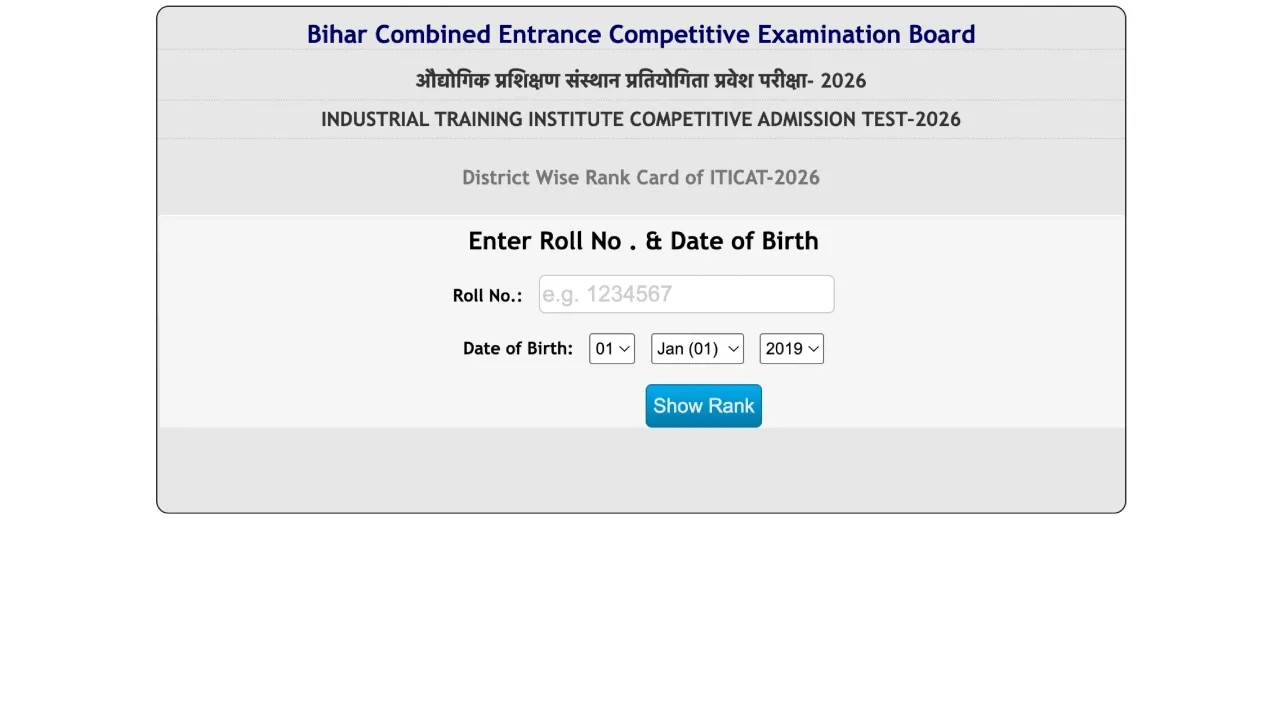
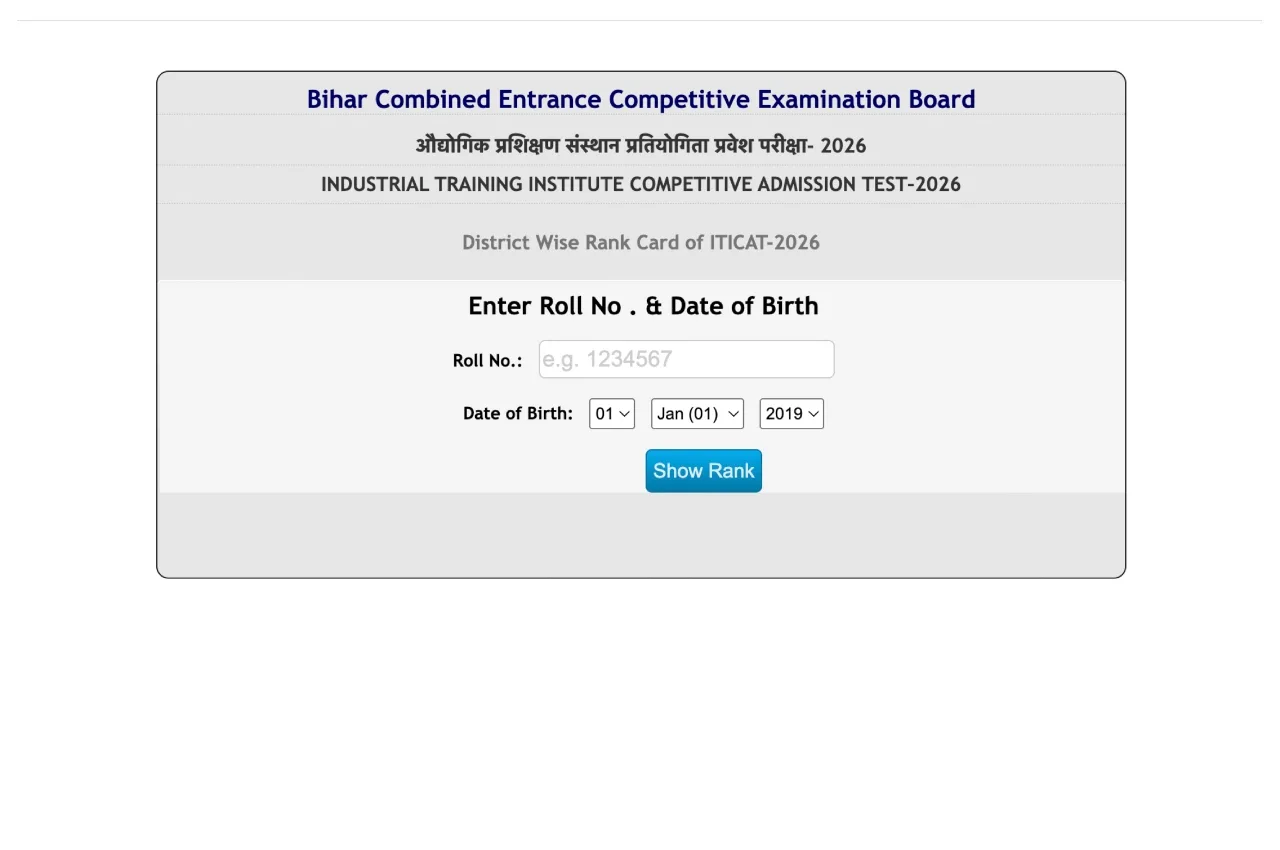
To download their results, candidates must enter their Roll Number and Date of Birth. Through this entrance examination, admission will be granted for a total of 33,108 seats.
When was the Exam Held?
The examination was conducted by the BCECEB on May 17, 2026, at various centres across the state. Following the release of the ITI CAT exam results, the answer key will also be released shortly.
The Next Steps
Candidates who have successfully cleared this examination must now participate in the counselling process. The Board will release the schedule for the counselling process very soon. During the counselling process, students will be able to select their preferred colleges.
Seats will be allotted to students solely based on the ranks obtained in their rank cards and the preferences they have selected. Once a seat is allotted, students must visit the designated centre for verification, carrying their allotment letter along with all necessary original documents. (Students are required to bring documents such as their Matriculation mark sheet, Caste Certificate, Domicile Certificate, and the ITI CAT Admit Card and Rank Card.)
All examinees are advised to keep a close watch exclusively on the official Bihar Board website to stay updated on all major announcements regarding the counselling process.
Bihar ITI CAT Result 2026 Direct Link
How to Download the Bihar ITI CAT Result 2026?
To download your result, first visit the official website at bceceboard.bihar.gov.in.
Click on the ‘Download Section’ located on the website’s homepage.
Click on the ‘Rank Card of ITI CAT-2026’ link.
Enter your Roll Number and Date of Birth.
Once you have entered your login details, your result will appear on your screen.
Finally, download the scorecard and take a printout for future reference.