Big-screen tablets are finally getting the attention they deserve, and the OnePlus Pad 3 is one of the reasons why. With its massive 13.2-inch display and an Android experience optimized for productivity, this tablet feels premium from the moment you pick it up. After using it for several days, it becomes clear that the OnePlus Pad 3 aims to give users a balanced mix of entertainment, speed, and all-day battery life. The question is whether it succeeds well enough to make it worth the price.
Pricing and Variants
The OnePlus Pad 3 is available in two memory options. The base variant with 12GB RAM and 256GB storage is priced at Rs 47,999, while the higher model with 16GB RAM and 512GB storage comes in at Rs 52,999. Buyers can choose between two colour choices: Storm Blue and Frosted Silver. It is available for purchase on Flipkart, Amazon, and the OnePlus official website.
Design and First Impressions
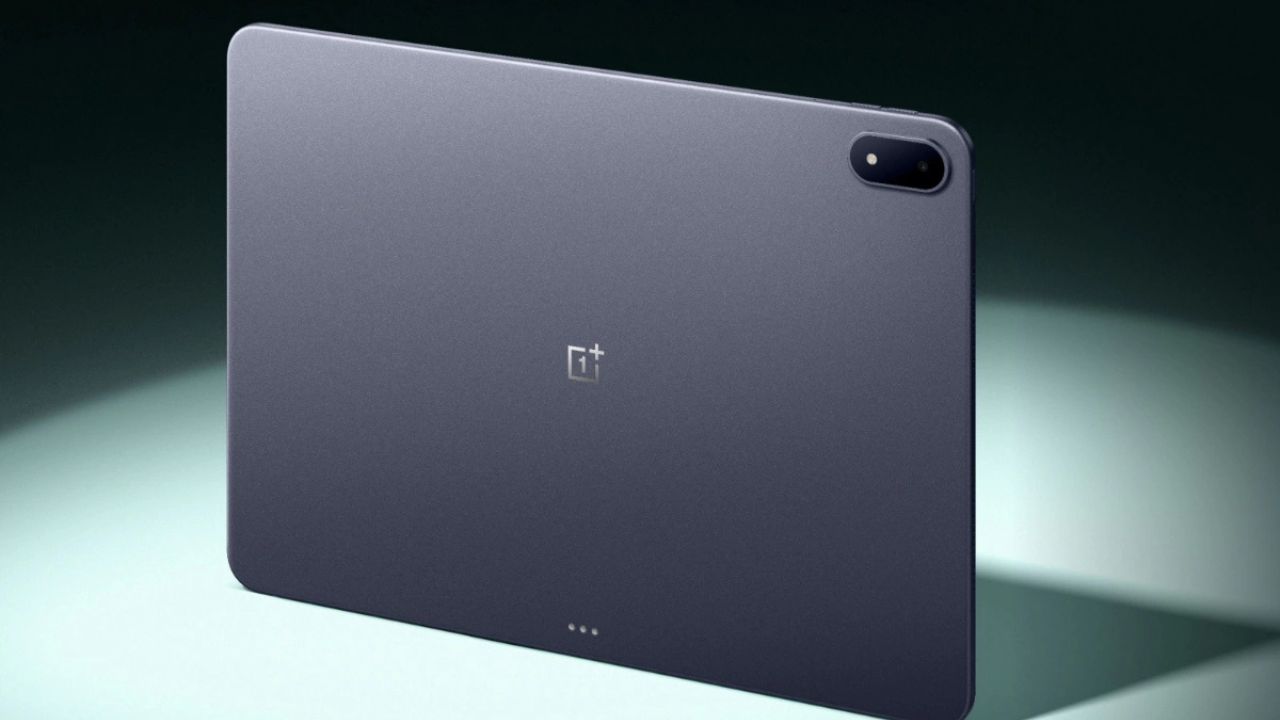
The OnePlus Pad 3 continues the clean and minimal design language seen in previous OnePlus tablets, but now with improvements. The camera module has shifted into a vertical pill-shaped format, which gives the device a fresher look. Despite the large display size, it feels surprisingly lightweight, and the thin metal body adds a premium touch. The placement of eight speakers and two microphones suggests OnePlus focused heavily on multimedia use, although the sound could have been clearer for its segment.
Display Experience
The OnePlus Pad 3 includes one of the sharpest displays available in an Android tablet at this price. The 13.2-inch LCD panel supports a smooth 144Hz refresh rate, which makes scrolling and animations noticeably fluid. Outdoor visibility is decent due to the 600-nit peak brightness, and colours appear vibrant enough for both entertainment and creative tasks. One minor trade-off is the glossy surface, which reflects light more than expected.
Performance and Software
Powered by the Snapdragon 8 Elite Mobile Platform, the OnePlus Pad 3 handles regular use without hesitation. Apps open instantly, multitasking feels seamless, and heavy games run well. The OnePlus Pad 3 review feedback becomes even more positive when paired with a keyboard or stylus, making it helpful for work tasks or long note-taking sessions. However, the lack of a 5G variant means users will need Wi-Fi access for uninterrupted connectivity.
Smart Keyboard Experience
The Smart Keyboard makes the OnePlus Pad 3 feel closer to a laptop replacement. Typing is comfortable, and the large trackpad performs smoothly. The keyboard attaches magnetically, keeps the whole setup stable, and draws power from the tablet. The only drawback is the added weight and absence of backlighting, which limits typing comfort in darker environments.
Battery and Charging
Battery backup is one of the strongest points of the OnePlus Pad 3. During extended use, it easily lasts through a full day of productivity or streaming. Fast charging support allows the device to reach over 50 percent battery in a short time, making it suitable for travel or long work sessions.