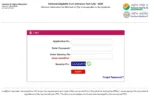
Karnataka sslc Results 2026: The Karnataka School Examination and Assessment Board (KSEAB) will release the Class 10 results at 12:00 PM. The results will be announced during a press conference. A direct link to access the results will be activated on the official website, karresults.nic.in. Students—or their parents—will be able to check the results via the website as soon as they are published. In addition to the official website, students can check their results on the DigiLocker website (digilocker.gov.in) or through the DigiLocker mobile application.
Check Results via DigiLocker and SMS
In addition to the official website, students can check their results on the DigiLocker website (digilocker.gov.in) and via SMS. To do this, you must type “KAR10” and send it to the number shared by the Board. Shortly after sending the message, your result will be delivered to your inbox.
Result Date & Time – Officially Announced
Exam Period (2026)
Details on Marksheet
Website Links
karresults.nic.in
Details Included in the Marks Sheet
Once the Karnataka Board results are declared, the digital marks sheet will be made available for download on the official website. This marks sheet will contain information such as the student’s name, registration number, Board name, personal details, subject names, subject codes, marks obtained in each subject, and the total marks.
How to Download the Karnataka SSLC result 2026 Online
Step 1: Once the result is released, visit the official website at karresults.nic.in.
Step 2: Now, click on the ‘Karnataka SSLC Result 2026’ link.
Step 3: Enter your registration number and date of birth.
Step 4: Click on the ‘Submit’ button.
Step 5: The Karnataka SSLC marks memo will appear on the screen.
Step 6: Download and save the Karnataka SSLC Result 2026, and take a printout for future reference.
How to check Karnataka SSLC Result 2026 using SMS
Step 1: First, open the messaging app on your phone.
Step 2: Type: KSEEB10 (Registration Number)
Step 3: Send it to 56263.