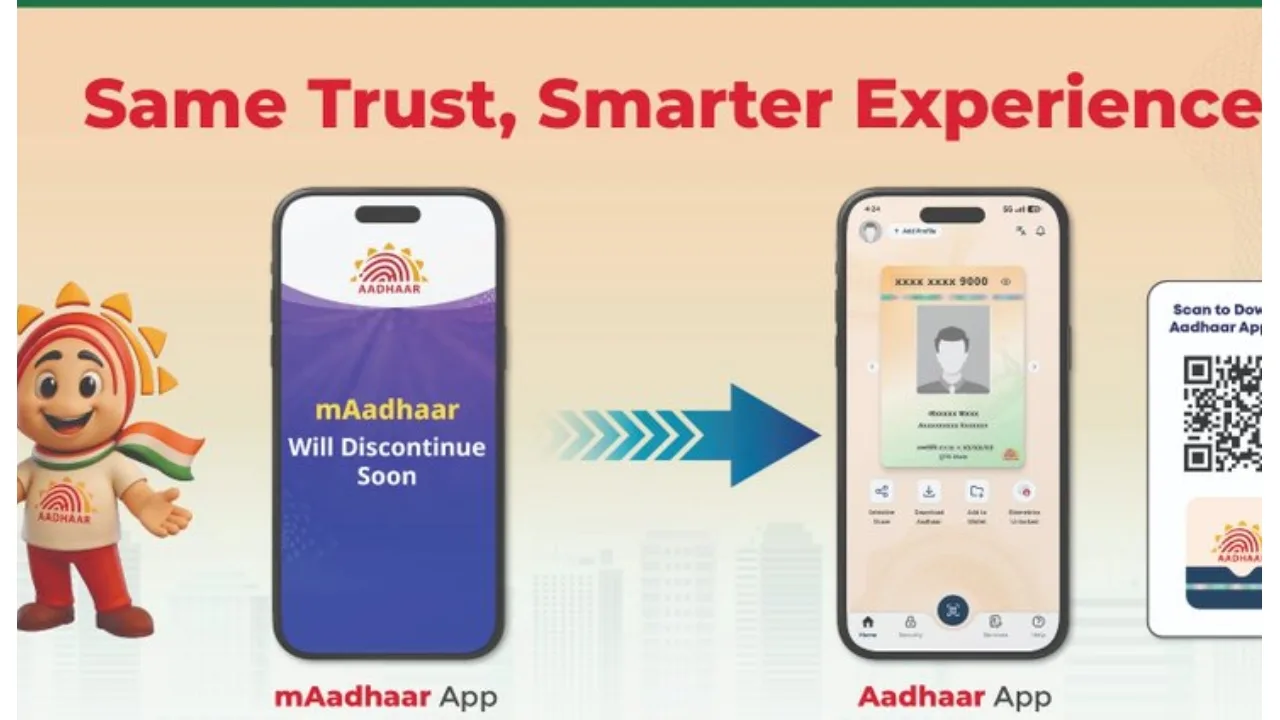
UIDAI: In today’s times, the Aadhaar Card has been made mandatory for everyone. It is required for all government-related activities. The Aadhaar card is utilised for a wide variety of purposes—including opening bank accounts, applying for passports, securing school admissions, and purchasing a home, among many other tasks. It would be accurate to say that, in the present day, the Aadhaar card is an exceptionally important document.
We must acknowledge that Aadhaar has become an indispensable part of our lives. Against this backdrop, the government has announced a significant change: the mAadhaar app is set to be discontinued soon. In its place, UIDAI has launched a new Aadhaar App, featuring significantly enhanced security measures.
The #mAadhaar App is retiring soon. Now experience a smarter, faster, and more secure digital journey with the new #AadhaarApp. From secure QR-based #Aadhaar sharing to enhanced privacy controls and seamless access to Aadhaar services — the new app is designed to make your… pic.twitter.com/snfeUx4Rgr
— Aadhaar (@UIDAI) May 15, 2026
What are the key features of the new app?
A major innovation in the new app is the introduction of a QR-based Aadhaar sharing feature. This means that when presenting your identity at a hotel or a government office, you will no longer be required to share your entire Aadhaar details.
Users will now be able to share only the specific information required for a given situation by utilising a QR code. This will significantly mitigate the risks associated with data leaks and misuse.
Sharing a post on social media platforms, UIDAI stated: “The #mAadhaar App is retiring soon. Now experience a smarter, faster, and more secure digital journey with the new #AadhaarApp. From secure QR-based #Aadhaar sharing to enhanced privacy controls and seamless access to Aadhaar services — the new app is designed to make your digital identity experience simpler.”

Key changes include:
Face authentication
QR code-based verification
OTP verification
Face Authentication with OTP
Logging into the old Aadhaar app relied primarily on OTPs; however, for enhanced security in the new Aadhaar app, face authentication and QR code verification—in addition to the OTP—may now be required for various services. The government believes that this measure will help curb instances of theft and fraud.
Say hello to the new #AadhaarApp.
With enhanced functionality, improved interface, and smarter services, the New Aadhaar App is built to offer a seamless and secure digital experience for every resident.As the #mAadhaar App retires soon, explore the next generation of Aadhaar… pic.twitter.com/dVUczHmeqR
— Aadhaar (@UIDAI) May 29, 2026
How to set up the new Aadhaar App?
Download the official “Aadhaar” app from the Play Store or Apple App Store.
Enter the mobile number linked to your Aadhaar card.
Complete the verification process using the OTP.
Complete Face Authentication, if required.
Set up a PIN.
Add your Aadhaar number and complete the final OTP verification.