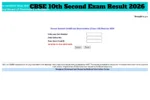
CBSE 10th Result OUT at cbse.gov.in: The Central Board of Secondary Education has released the 10th result 2026. CBSE results can be checked on the official website, results.cbse.nic.in. After the results are released, students will be able to view and download their marksheets using their roll numbers. In addition to the official website, students can also access their scorecards through cbseresults.nic.in, cbse.gov.in, DigiLocker, and the UMANG app. To check the results and download the scorecards, students will need to enter their roll number, school number, and date of birth. The CBSE Class 10 exams 2026 were held between February 17 and March 11.
Marksheets Available on the UMANG App
Must visit the official CBSE results website, UMANG, or DigiLocker.
Click on the link for the CBSE Class 10 Result 2026.
Enter your Roll Number and Date of Birth.
Your CBSE Result 2026 will appear on the screen.
Download it and take a printout for future reference.
The wait is over! CBSE Class-X results have been declared and are now available to view on the UMANG app. https://t.co/4HsU84XpBypic.twitter.com/eRzydKd5Qc
— UMANG App India (@UmangOfficial_) April 15, 2026
What is the CBSE Grading System?
Students will be able to download their marksheet online from the board’s official website, cbseresults.nic.in or cbse.gov.in. The marksheet will not contain marks, only grading.
The Central Board of Secondary Education declares 𝗖𝗹𝗮𝘀𝘀 𝗫 𝗥𝗲𝘀𝘂𝗹𝘁𝘀 𝟮𝟬𝟮𝟲
The students can check results on official CBSE portals.
𝗖𝗼𝗻𝗴𝗿𝗮𝘁𝘂𝗹𝗮𝘁𝗶𝗼𝗻𝘀! 🎉 pic.twitter.com/4OiCXl6GyB— CBSE HQ (@cbseindia29) April 15, 2026
How to Check CBSE 10th Result 2026 via SMS?
First, go to the message inbox on your mobile phone.
Go to ‘New Message’ and type ‘cbse10’.
Send this message to 7738299899.
📢 CBSE Class X Results 2026 are NOW LIVE on DigiLocker!
Skip the rush and check your results instantly with ease.
🔗 https://t.co/nmrcVm9cvyBest of luck to all students—your hard work will shine!#CBSE#Class10#Results2026#DigiLocker#DigitalIndia#ExamResultspic.twitter.com/6G0ECVjbqC
— DigiLocker (@digilocker_ind) April 15, 2026