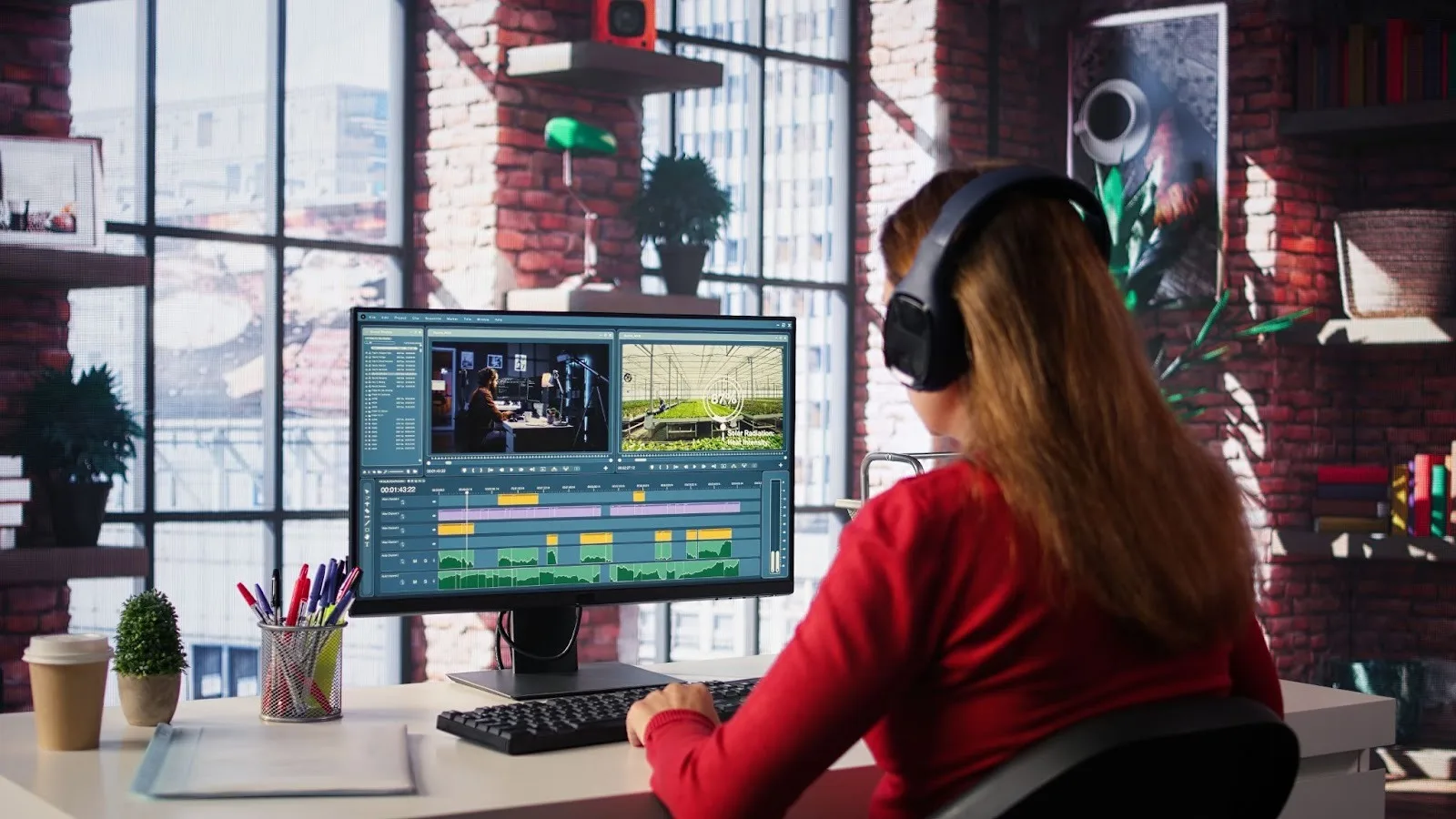
If you’re churning out video content in 2026, editing is no longer optional. It’s the difference between something that gets scrolled past, and something that really captures the eye. The good news is you don’t need a full production studio or a film degree to put together polished videos. The tools we have today are powerful and flexible, not to mention surprisingly user-friendly.
What really counts is finding the software that suits your workflow, skill level, and the type of content you want to produce. Certain platforms specialise in precision and control. Others focus on speed and simplicity, so you can keep up with the breakneck speed of social media. The top creators typically rely on a blend of software, depending on the project.
Here are some of the best video editing software for beginners, pros, and everything in between.
Adobe Premiere Pro
If you want to have full control over your editing, Premiere Pro is still the best choice for creators. It’s also an attractive option for creatives who are new to the industry as well as students, thanks to the Premiere Pro student discount which makes it affordable while you’re still learning the ropes.
Instead of fiddling with other software, beginners can train on the same software used in pro studios from day one. Whether you’re creating for YouTube, a brand, a podcast, or short-form social content, it gives you full freedom over your work. Once you get used to it (which honestly takes no time at all), the timeline is pretty easy to work with, and the integration with other creative tools makes your workflow much smoother.
What keeps creators coming back, though, is how scalable it is. It handles basic cuts and transitions to colour grading, sound design, motion graphics, and multi-camera editing. It’s a software that will grow with you, so it’s a good one to hold onto for the long term.
Pros:
- Full creative control over editing, motion graphics, and colour grading.
- Scalable: grows with your skills, from beginner to pro workflows.
- Smooth integration with other Adobe Creative Cloud apps.
Adobe Premiere Elements
Adobe Premiere Elements doesn’t get as much street cred as Premiere Pro, but it’s still a solid choice for anyone who is looking for something simple without sacrificing quality. It strips away some of the more complex features of Premiere Pro and instead concentrates on guided editing, automation, and templates.
This can be a big relief for content creators who are doing it all — shooting, editing and posting. You don’t need to sink hours mastering every bit of technical detail. Instead, you can use built-in workflows to tidy up footage, adjust colour, and churn out something polished quickly.
It’s especially helpful for lifestyle creators, small business owners or anyone looking to get professional-looking results without the steep learning curve. It’s a decent stepping stone if you plan on learning more advanced editing tools in the future too.
Pros:
- Beginner-friendly, with guided edits and automation.
- Quick workflows for lifestyle creators and small businesses.
- Good stepping stone before moving to Premiere Pro.
DaVinci Resolve
Over the last few years DaVinci Resolve has soared in popularity, and for good reason. It integrates writing, editing, sound, and visual effects into a single system. This is one of the most powerful choices for creators who are after cinematic results.
The colour grading tools alone make it worth it. If your work depends on mood, aesthetic, or visual storytelling, Resolve lets you go further than many of the more beginner-friendly platforms. This is why so many filmmakers and high-end creators choose it.
Better still, the free version offers most of what you need. You can still create professional-level work without too much investment, which has made it popular with independents and freelancers looking to keep costs low while building a portfolio.
Pros:
- Powerful all-in-one editing, sound, and VFX tools.
- Industry-leading colour grading for cinematic quality.
- The free version is very capable for pros and independents.
Wondershare Filmora
Filmora strikes a nice balance between beginner-friendly and professional-grade software. It’s easy to use but doesn’t sacrifice depth. Many laptop users appreciate Filmora because it allows you to churn out professional content without much fuss. The interface is intuitive with drag-and-drop editing and a sleek design.
You don’t have to sacrifice complexity if you don’t want to. Filmora has everything you need to get the job done and then some. You can pick up tricks of the trade as you go at your own pace without feeling overwhelmed by software specs.
Anyone who creates video content for YouTube, TikTok, and Instagram should take note of Filmora’s library of effects, transitions, and templates. They’re great time-savers right out of the box, but they can also help you develop your own style. Lean on them too much and your videos will all start to look the same. Use them as a foundation you can customise, and you’ll begin to carve out quick workflows that feel unique to you.
Pros:
- Easy drag-and-drop interface, quick to learn.
- Built-in effects, transitions, and templates for social media.
- Good balance between speed and creative control.
CyberLink PowerDirector
PowerDirector doesn’t get much attention, but it’s quietly become a strong contender. It offers a combination of speed, performance, and creative flexibility, which works well for the best creator tools that deal with high-res footage.
Rendering speed is one of its primary strong points. If you’re producing regular content and don’t have time for long export times, this is more important than you might think. Being able to quickly edit and publish is often what distinguishes growing creators from the ones that burn out.
It also has high-end capabilities such as motion tracking, multi-cam editing, and AI-powered tools that suit both beginners and more experienced editors. It’s worth considering for creators who need strong performance without much of a learning curve.
Pros:
- Fast rendering and performance for high-res footage.
- AI-powered tools and motion tracking for creative flexibility.
- Works well for both beginners and intermediate users.
CapCut
CapCut is incredibly popular for a reason, even if pro editors turn their noses at it. It lowers the barrier into video editing, particularly for creators focused on short-form content. Its simple interface, trendy templates, and built-in effects make it easy to produce polished videos without a steep learning curve — and the best part is that it runs smoothly even on budget phones, so you don’t need expensive hardware to start creating.
For beginners, it takes away a lot of the initial barriers and challenges that may come with video editing. You don’t have to spend weeks learning technical workflows just to create a one-minute video. You can try things out, test ideas, and keep up with fast-moving platforms.
That’s not to say that experienced creators don’t benefit from using this software. In fact, plenty often use CapCut in conjunction with professional tools. They might handle detailed editing in one platform, then switch to CapCut for quick social versions. That hybrid workflow is becoming increasingly popular because it saves time and leaves content flexible.
Pros:
- Extremely easy for beginners to pick up.
- Perfect for short-form content and trending social effects.
- Lets experienced creators quickly produce social-ready versions.
Finding Your Perfect Editing Workflow
Having the right software is great, but growth is determined by your editing mentality day in and day out. Building a repeatable workflow. From shot lists, to rough cuts, to polished edits. Memorise keyboard shortcuts and small nuances of your editing platform of choice, they’ll save you more time than whatever cool effect you want to use.
Don’t be afraid to use one tool one day and another the next. CapCut can work great for quick social video edits when your main project is in Premiere Pro. And don’t obsess over perfection. Your audience will appreciate you more if you post consistently, even if your video isn’t Hollywood quality. Allow your editing process to work for you. Give you more time to focus on your story. Try new things and connect with your audience.
When you focus on more than software, and dive into workflows, speed, and creativity you’ll begin to learn more than how to make a pretty video. You’ll learn how to grow as a creator.