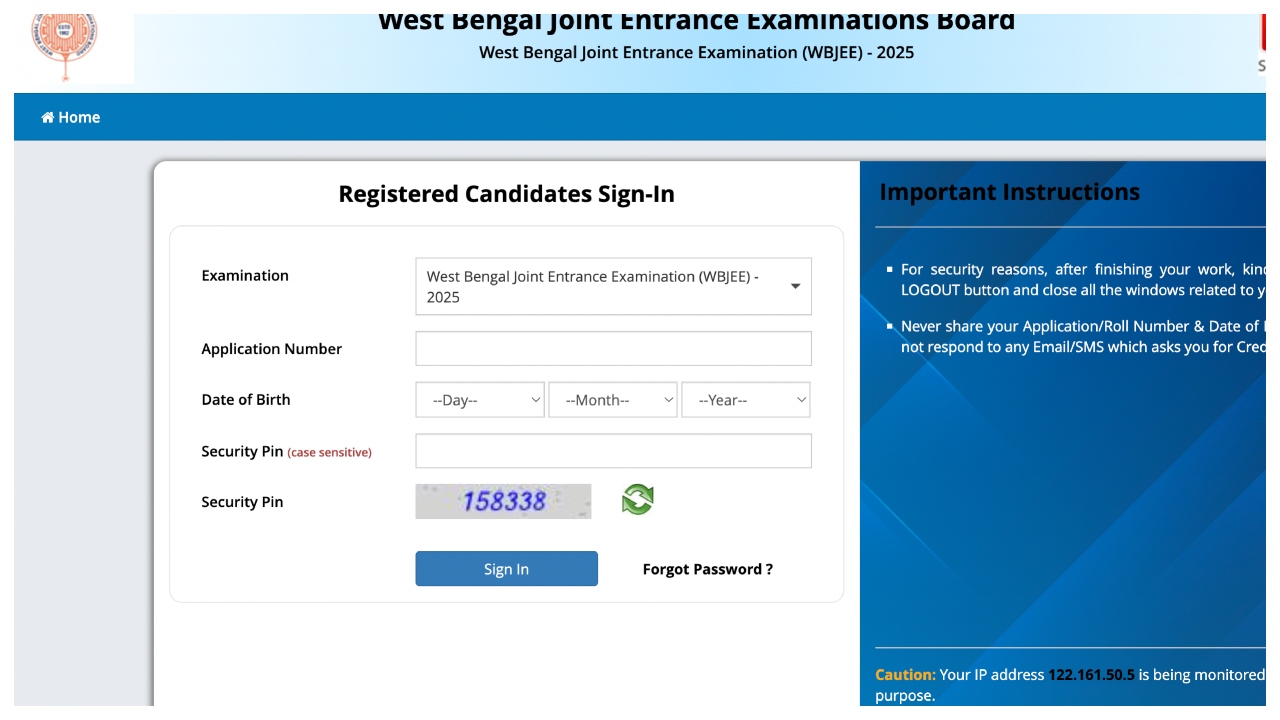
WBJEE 2025 Result Declared: The result of the West Bengal Joint Entrance Examination has been released on Friday. In such a situation, students who appeared in this exam can check their scores on the official website at wbjeeb.nic.in. Students will need the Application Number, Date of Birth & Security Pin to check the result.
How to check result?
First, you have to go to the official website wbjeeb.nic.in
You will find the link related to the result on the home page.
Enter the application number, date of birth, security pin, password, etc and click the submit button.
The result will open on the screen.
Check it, download it, and take a printout.
Direct link to check WBJEE Result 2025
Direct link to check the final answer key
When was the exam held?
This exam was conducted on 27 April 2025 in two shifts. The first shift exam was held in the morning shift from 11 am to 1 pm. At the same time, the second shift exam was conducted from 2 to 4 pm.
Official websites to check
wbjeeb.nic.in
wbjeeb.in
Login details needed
Application Number
Date of Birth
Security Pin
WBJEE 2025 Result: How to download rank card?
1. Visit the official website of WBJEEB at wbjeeb.nic.in
2. Click on WBJEE Result 2025 rankcard link on the home page.
3. A new page will open to enter the login details.
4. Click on submit and your rank card will be displayed.
5. Check the rank card and download it.
Latest News
- Train Ticket: How to book a confirmed train ticket without an agent? Learn the Easy Steps

- Indian Railways– 155 Trains Express Declared High-Speed, Thousands of Railway Staff to Benefit

- Monsoon Alert – Warning Heavy to Very Heavy Rain alert & thunderstorms in 22 States Over Next 4 Days

- America-Iran War: मिडिल ईस्ट में तनाव होगा खत्म! ईरान ने होर्मुज रास्ते पर कही बड़ी बात

- PM Surya Ghar Yojana 2026: Get Up to Rs 78,000 Subsidy within 6 Easy Steps, Know Here

- Cheapest Available 5G Smartphones in India Under 10000

- UPSC Prelims Answer Key 2026 – How to Download UPSC Prelims Answer Key at upsc.gov.in

- 8th Pay Commission: एनपीएस और पुरानी पेंशन में कौन सी बेहतर, जानिए बड़ा अपडेट

- Xiaomi 17T Launching With Leica 5x Zoom and Huge 6,500mAh Battery Under ₹60,000

- NEET UG 2026 – Haryana & Bihar Announce Free Bus Service for Candidates on June 20-21