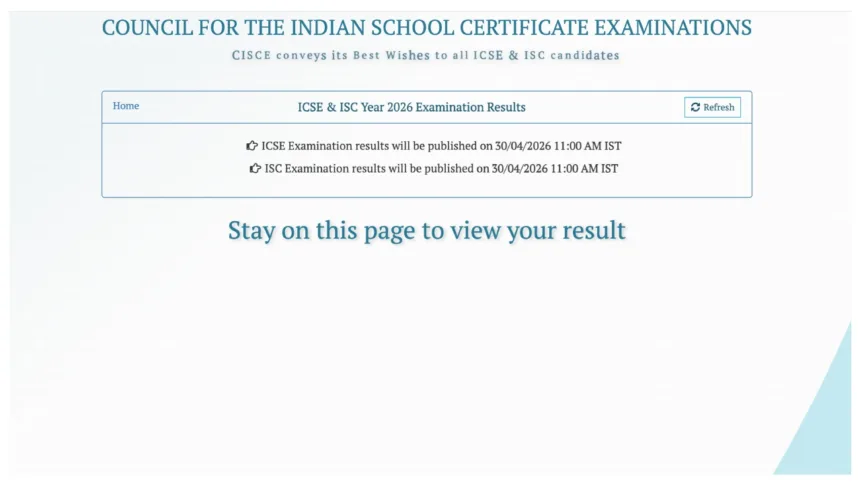
CISCE Results 2026: The Council for the Indian School Certificate Examinations (CISCE) is set to announce the results for the Indian Certificate of Secondary Education (ICSE) and the Indian School Certificate (ISC) shortly—specifically at 11:00 AM today. Once the results are released, download links will be made available on the board’s official website, cisce.org, and on the DigiLocker portal, digilocker.gov.in.
In addition to checking their results, students can also download their mark sheets. So, let’s find out how to download the mark sheets. To download the ICSE and ISC scorecard PDFs, students will require their Unique ID and Index Number as login credentials.
CISCE Results 2026 – Key Highlights
- Result Date: April 30, 2026 (Today)
- Result Time: 11:00 AM
- Exams: ICSE (Class 10) & ISC (Class 12)
- Board: Council for the Indian School Certificate Examinations (CISCE)
- Required: Unique ID & Index Number (mandatory login credentials)
Official Websites to Check Result
Login Credentials Required
| Platform | Details Needed |
|---|---|
| Official Website | Unique ID + Index Number + Captcha |
| DigiLocker | Account Login + Required Details |
| UMANG App | Roll Number + School Number |
| SMS | 7-digit Unique ID |
Ways to Download ICSE & ISC Scorecard
Official Website
- Visit cisce.org or results.cisce.org → Click “ICSE/ISC Scorecard 2026 PDF” → Enter Unique ID, Index Number & Captcha → Download Scorecard
DigiLocker
- Visit digilocker.gov.in or open app → Login/Create Account → Search “ISC Class 12 Mark Sheet PDF” → Fill details → Download Marksheet
How to Download the ISC Mark Sheet from DigiLocker?
Visit the official DigiLocker website or open the app.
Log in to your account.
If you do not have an account, create one first.
On the homepage, look for the option labelled “ISC Class 12 Mark Sheet PDF.”
Click on this option.
Fill in the requested information and submit it.
Your result will then appear on the screen.
Check it carefully and download it for future reference.
How to Download the ISC Scorecard via the UMANG App?
Open the UMANG app.
Register by providing the required information.
Click on the “ISC Scorecard PDF” link.
Enter your Roll Number and School Number to log in.
The ISC Mark Sheet PDF will appear on the screen.
Download it and take a printout for future use.
How to Download ICSE and ISC Scorecard PDFs via the Website?
Visit the official website at cisce.org or results.cisce.org.
Click on the “ICSE/ISC Scorecard 2026 PDF” link.
Enter your Unique ID, Index Number, and Captcha Code to log in.
Your scorecard will appear on the screen.
Download it and take a printout for future reference.
How to Check Results via SMS?
Students can also check their results via SMS.
Type “ISC results” on your mobile phone, enter your 7-digit Unique ID, and send it to the number 09248082883.