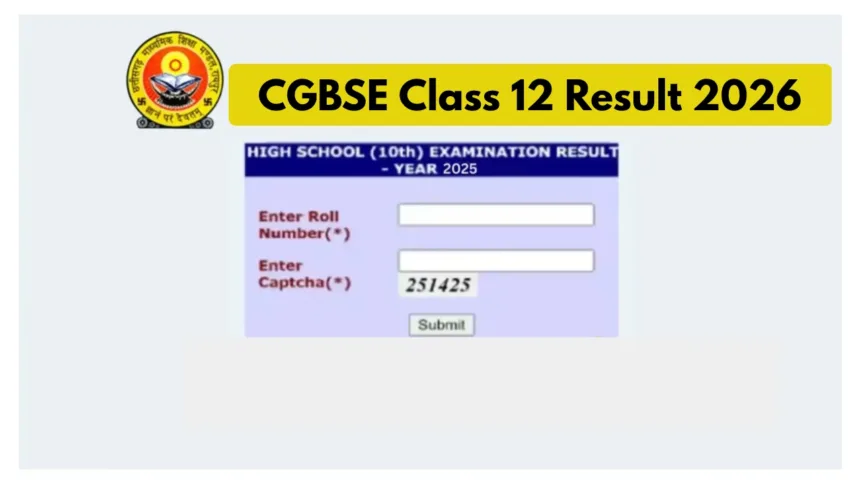
CGBSE 12th Result 2026, results.cg.nic.in: The Chhattisgarh Board of Secondary Education is set to announce the Class 12 results very shortly. The Class 12 results will be released at 2:30 PM today. The link to check the CG Board Class 12 results will be activated very soon on the official websites:cgbse.nic.in and results.cg.nic.in. Students will be able to check their Class 12 CG Board results using their roll numbers. Since the official website sometimes slows down due to heavy traffic, students can also check their results via SMS and DigiLocker.
CGBSE 12th Result 2026 – Key Highlights
- Result Date: April 29, 2026 (Today)
- Result Time: 2:30 PM
- Class: Class 12 (Higher Secondary)
- Board: Chhattisgarh Board of Secondary Education (CGBSE)
- Required: Roll Number (mandatory to access result)
Minimum Passing Marks
- Students must secure at least 33% marks in each subject
- Includes both Theory & Practical components
4 Ways to Check CGBSE 12th Result 2026
Online (Official Website)
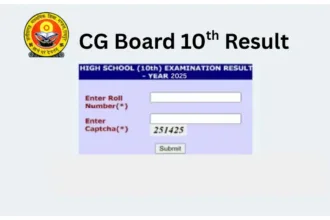
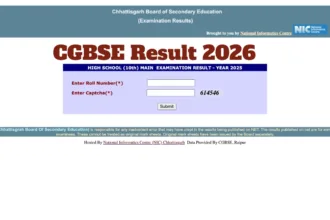
- Visit results.cg.nic.in → Click CGBSE 12th Result link → Enter Roll Number & CAPTCHA → Download Marksheet
SMS (If Server is Down)
- Type
CG12 [Roll Number]→ Send to 56263 → Receive result on mobile
DigiLocker
- Visit digilocker.gov.in → Education Section → Chhattisgarh Board → Class 12th Marksheet → Enter Roll Number → Download
UMANG App
- Open UMANG App → Education Section → Select Board → CGBSE 12th Result 2026 → Enter Roll Number → Download Marksheet
Steps to Check the CG Board Class 12th Result 2026 Online
Once the CGBSE 12th results 2026 are announced, students can check them on the official website of the Chhattisgarh Board.
Students must log in using their roll number to download their online marksheet.
Step 1: Visit the official website of the Chhattisgarh Board at results.cg.nic.in.
Step 2: On the website’s homepage, click on the link for the CGBSE 12th results.
Step 3: Log in using your roll number and enter the captcha code.
Step 4: Your Class 12 marksheet will be displayed on your screen.
Step 5: Download the online marksheet for future reference.
How to Check Results if the Server is Down?
Step 1: Go to the inbox on your mobile phone.
Step 2: Click on the ‘Create Message’ option.
Step 3: Class 12 students should type ‘CG12 [Roll Number]’.
Step 4: Send the SMS to 56263.
Step 5: You will receive your result shortly thereafter.
How to check your results via DigiLocker:
Visit the official DigiLocker website – results.digilocker.gov.in
Click on the ‘Education’ section and select ‘Chhattisgarh Board of Secondary Education’. Click on the ‘Class 12th Marksheet’ option.
Enter your CGBSE Roll Number.
Your provisional CG Board Class 12th Marksheet will appear on your screen.
Finally, download the online marksheet and take a printout for future reference.
📢 The Countdown Begins!
Chhattisgarh Board of Secondary Education, Raipur
Class X & XII Results 2026 are coming soon on DigiLocker’s Result Page!
Skip the last-minute rush and stay prepared to check your results instantly.
🔗 https://t.co/nmrcVm9cvy
Be ready with your Roll… pic.twitter.com/W1zGKQYyXV— DigiLocker (@digilocker_ind) April 28, 2026
Chhattisgarh 12th Result Passing Marks
To pass the Chhattisgarh Board Higher Secondary Examination 2026, students must secure a minimum of 33% marks in each subject (including both theory and practical components).
How to Check Chhattisgarh Board 12th Result via UMANG
1. First, download or open the UMANG app from the Google Play Store or App Store.
2. Log in or register using your mobile number and OTP.
3. Navigate to the “Education” section.
4. Now, select your board.
5. Click on “CGBSE 12th Result 2026”.
6. Enter your Roll Number and other required details.
7. After checking your result, download your online marksheet.