

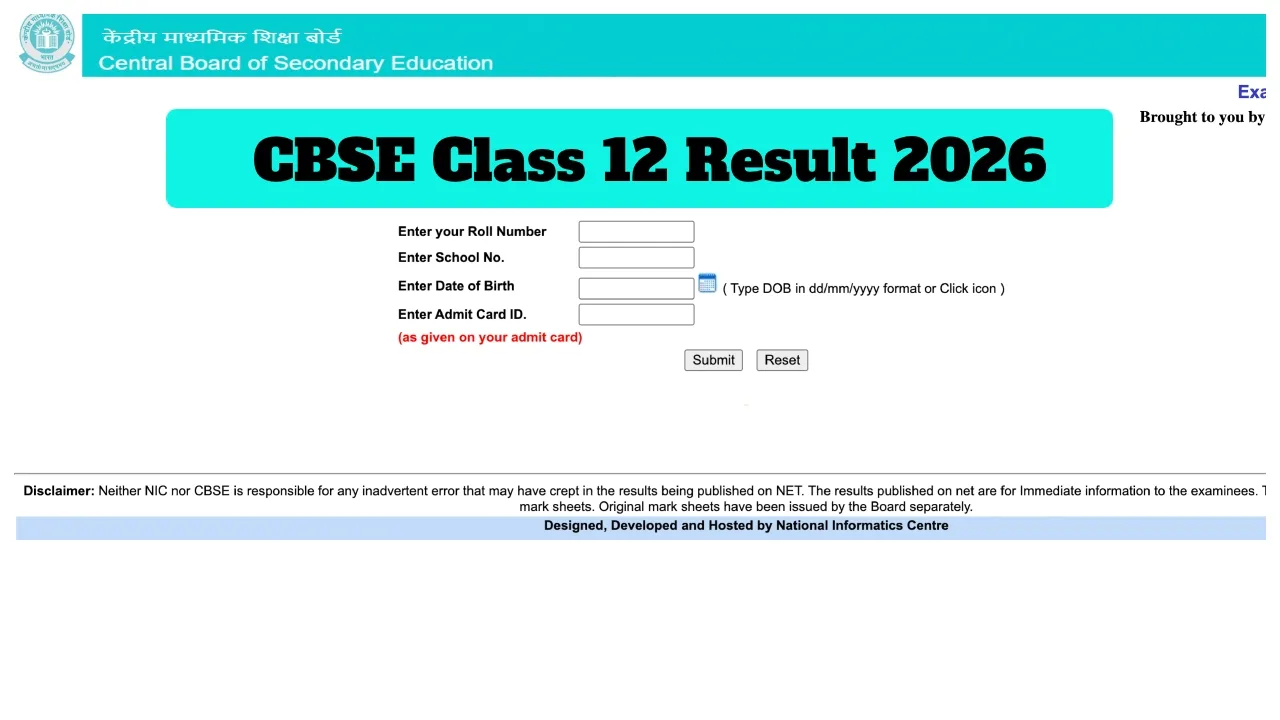
CBSE 12th Result 2026 Declared Soon: The Central Board of Secondary Education is set to release the CBSE Class 12 results very shortly. Students are eagerly awaiting their results. It is being reported that the CBSE will release the Class 12 results for 2026 sometime next week. According to media reports, the Board may release the results by May 11, 2026. However, the CBSE Board has not yet issued any official notification regarding the exact date and time of the result declaration.
Once released, students will be able to check their scores on cbse.gov.in and cbse.nic.in, results.cbse.nic.in, and cbseresults.nic.in. To check their results, students will need to enter their Roll Number, School Number, Date of Birth, and Admit Card ID. In addition to the official websites, students can also access their results via SMS and IVRS.
Check Results on These Websites:
cbse.gov.in
cbseresults.nic.in
cbse.nic.in
digilocker.gov.in
results.gov.in
When were the Class 10 results released?
The CBSE Class 10 results were declared on April 15, 2026. Students can now expect to check their Class 12 results at any moment. Students are advised to regularly visit the official websites for the latest updates regarding the results. Along with the official websites, the results will also be available for download on the DigiLocker and UMANG apps.
How to check results via IVRS?
Dial the IVRS number 24300699 from any landline or mobile phone.
Now, listen carefully to the automated voice instructions.
Enter your Roll Number, School Code, and other necessary details.
Listen to your subject-wise marks.
Generally, CBSE has made the IVRS facility available for the Delhi, Mumbai, Chennai, and Kolkata regions.
How to Check CBSE Class 12 Results 2026 Online
Step 1: Visit the official website at cbse.gov.in or results.cbse.nic.in
Step 2: Click on the “CBSE Class 12 Result 2026” link located on the homepage.
Step 3: Enter your Roll Number and School Number.
Step 4: Click on the ‘Submit’ button.
Step 5: Your result will appear on the screen.
Step 6: Download the marksheet and print it.
How to View CBSE Class 12 Results 2026 on DigiLocker
Step 1: Open the DigiLocker app or visit the website and log in to your account.
Step 2: Navigate to the “Education” section.
Step 3: Select the CBSE Board option.
Step 4: Enter the required details and click the submit button.
Step 5: Download your digital marksheet.


💬 Comments
0