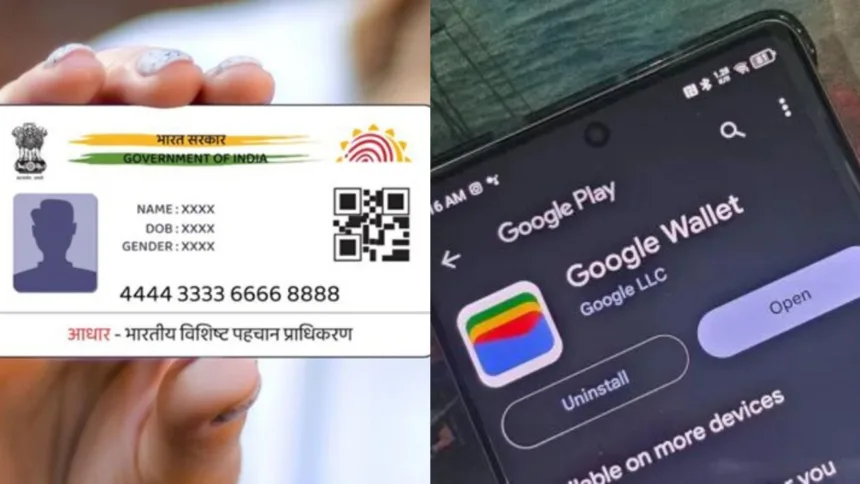
Aadhaar Card Google Wallet: If you’re finding it cumbersome to always carry your Aadhaar card in your wallet, there’s good news. Thanks to Google Wallet’s latest feature, you can now store your Aadhaar card digitally. This innovation will streamline the identification and verification process, making it quicker, easier, and more secure than ever. Whether you’re checking into a hotel, going through airport security, or need to show ID for any government-related tasks, you won’t have to carry your physical card anymore. Let’s dive deeper into this…
Google partners with UIDAI
Google has teamed up with the Unique Identification Authority of India (UIDAI) to enable users in India to save their Aadhaar card details directly in the Google Wallet app. This new functionality is designed to simplify verification and enhance convenience, removing the necessity of carrying physical cards everywhere.
According to Google, users can now store their Aadhaar as a verifiable credential on their smartphones. This means that your Aadhaar information will be securely kept on your device and can be utilized for both online and offline verification whenever required. Now, let’s find out how to save your Aadhaar card to Google Wallet…
How to save Aadhaar on Google Wallet ?
Linking your Aadhaar card to Google Wallet is quite straightforward. You will need to verify your Aadhaar card using an OTP sent to your mobile number registered with UIDAI. Let’s go through the entire process…
First, download the latest version of the Google Wallet app.
Next, open the Google Wallet app and tap on the + or Add to Wallet option on the home screen.
Choose the option to add ID Pass or Aadhaar Card from the menu.
After that, you must verify your Aadhaar details through the official UIDAI portal. An OTP will be sent to your registered mobile number, which you will enter to complete the verification.
If you are using the newly updated UIDAI Aadhaar app, you can generate Aadhaar as a Verifiable Credential from there and add it directly to Google Wallet using the Share ID option.
After the verification is complete, your digital Aadhaar card will be saved in a secure and encrypted format in Google Wallet.
We’re expanding access to digital IDs in Google Wallet in select countries, all built with advanced privacy features like selective disclosure to keep your data secure.
Rolling out now:
🇮🇳 In India, you’ll be able to save Aadhaar Verifiable Credentials directly on your device… pic.twitter.com/oQqCrzF9Fu— Google (@Google) April 28, 2026