

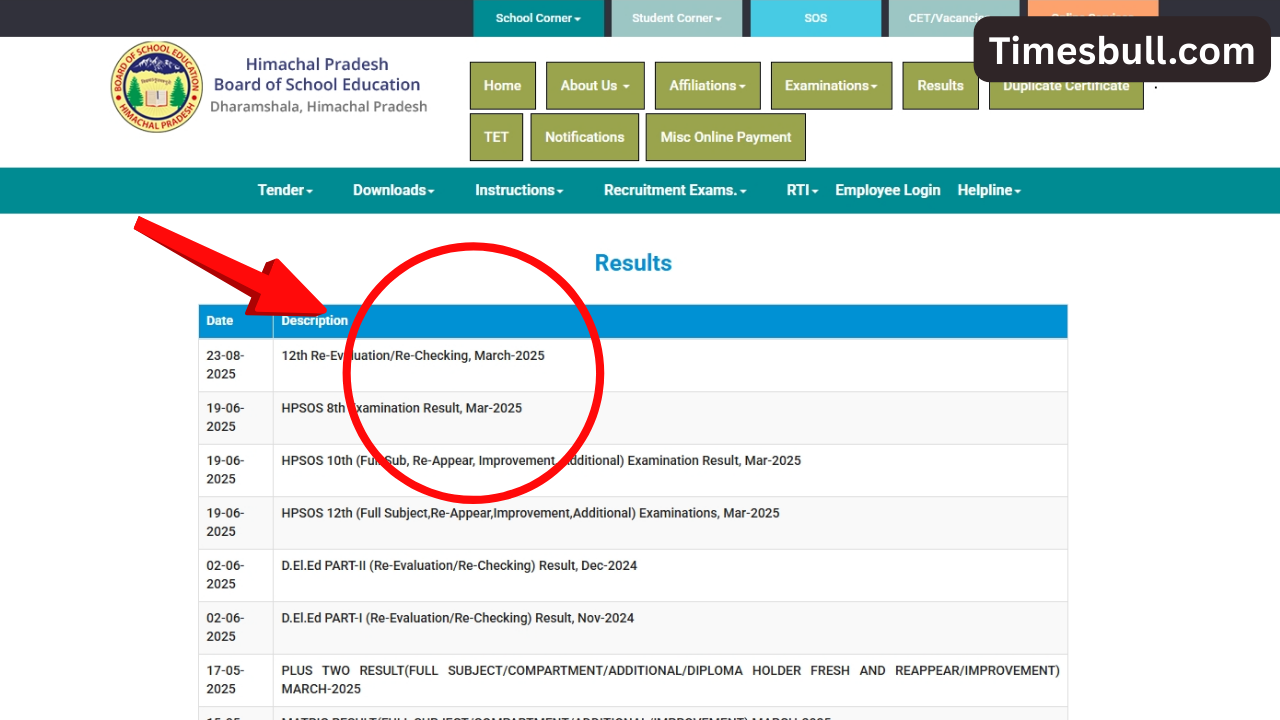
If you have also given the 10th and 12th supplementary examinations conducted by the Himachal Pradesh Board, then you must wait for the results. After the result of the Supplementary Examination 2025 is released, the candidates will be able to see the score card on the official website. According to the media report that came out, the result of the supplementary examination can be released by the last day of August. After the result is announced, the scorecard can be seen on the official website hpbose.org.
Let us tell you that to pass the 10th and 12th supplementary examination of Himachal Pradesh Board, students have to get at least 33 per cent marks in total and in each subject. To pass the exam, students have to get at least a D grade. If this does not happen, then your one year will be wasted. Due to this, you will have to study again in the same class.
Read more:-Bajaj Platina 100 vs Hero Passion Pro: Who will win your trust
HPBOSE Result 2025
Actually, let us tell you that in 2025, 84,930 students appeared for the HP Board 12th examination, out of which 83.16 per cent passed. So in 10th, out of 95,495 students, 75,862 passed. The total pass percentage of class 10th has been 79.8 per cent. However, students who have low marks or have failed in many subjects can take the supplementary examination. Doing this saves a year.

How to download the result
To view and download the results of the Himachal Pradesh Class 10th Supplementary Examination, candidates have to follow the steps mentioned here.
- Step 1. To see the result, first of all, you have to visit the official website hpbose.org.
- Step 2. Now, on the homepage of the website, click on the Class 10 Supplementary Result link.
- Step 3. After this, the roll number and date of birth will have to be entered.
- Step 4. After entering the login credentials, the result will open on your screen.
- Step 5. After seeing the result, finally take a printout of it.
Read more:-HPBOSE Supplementary result: Class 10-12th supplementary exam result released! Check at hpbose.org
How to check the result through SMS
Students can also check their results through SMS, the method of which is given below.
- Step 1. Open the SMS app on your mobile phone.
- Step 2. Type your HP10th or HP12th exam roll number.
- Step 3. Send SMS to 56263.
- Step 4. The result will appear on your phone screen.
Latest News
- PM Kisan Samman Nidhi Yojana: नहीं मिल रही 2000 रुपये की किस्त तो किसान तुरंत करवा लें यह काम

- Aadhaar Card Update Rules – How Many Times Can You Change Address, DOB & Number?

- Train Ticket: How to book a confirmed train ticket without an agent? Learn the Easy Steps

- Indian Railways– 155 Trains Express Declared High-Speed, Thousands of Railway Staff to Benefit

- Monsoon Alert – Warning Heavy to Very Heavy Rain alert & thunderstorms in 22 States Over Next 4 Days

- America-Iran War: मिडिल ईस्ट में तनाव होगा खत्म! ईरान ने होर्मुज रास्ते पर कही बड़ी बात

- PM Surya Ghar Yojana 2026: Get Up to Rs 78,000 Subsidy within 6 Easy Steps, Know Here

- Cheapest Available 5G Smartphones in India Under 10000

- UPSC Prelims Answer Key 2026 – How to Download UPSC Prelims Answer Key at upsc.gov.in

- 8th Pay Commission: एनपीएस और पुरानी पेंशन में कौन सी बेहतर, जानिए बड़ा अपडेट
