


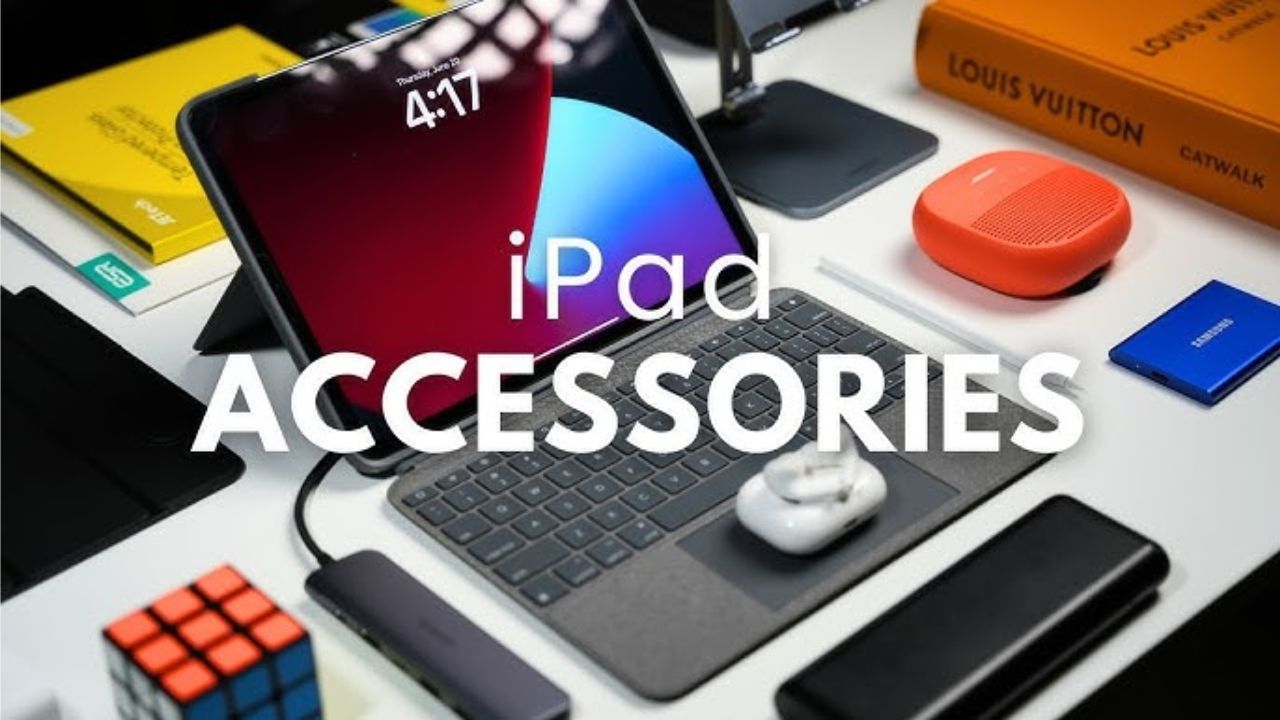
best iPad accessories 2025: Apple refers to the iPad as a computer, and to be honest, that’s not hyperbole. As time passes, the iPad has developed from an elementary tablet to a mighty hybrid device capable of substituting your laptop, notebook, or even your sketchpad. Yet to really get the best out of it, you require the suitable accessories. Whether you utilize your iPad for business, learning, or leisure, these vital add-ons can revolutionize your experience altogether.
Read More: Apple AirPods Pro 2 delivers a major audio upgrade you shouldn’t miss
Apple Pencil: The Creative Masterpiece Tool
There is one accessory that epitomizes the iPad experience, and that is the Apple Pencil. Precision-engineered, it allows you to write, draw, and annotate with effortless ease. The 2nd-gen Apple Pencil has magnetic charging, instant tool switching, and the latest Apple Pencil Pro includes Haptic Feedback, Find My, and the Squeeze gesture for professional-grade control.
Apple has also released a USB-C Apple Pencil, which is a budget-friendly version for newer and older iPads. This one bypasses pressure sensitivity but is ideal for general writing and sketching. This is a must-have companion for digital artists, designers, and note-takers.
Magic Keyboard or Alternatives: Work Like a Pro
Glass typing is adequate for mere browsing, but if you’re going to work hard, you’ll need an actual keyboard. Apple’s best is the Magic Keyboard with smooth typing, precision trackpad, and a floating hinge that makes your iPad feel like a miniature laptop.
But if budget is an issue, good alternatives from third parties exist, such as the Logitech Combo Touch, which has a removable keyboard, kickstand, and backlit keys. It’s less expensive but offers almost the same level of functionality and versatility.
Screen Protector: Keep It Scratch-Free
Your iPad’s beautiful screen deserves protection. A screen protector keeps it from scratches and cracks. Matte paper-like ones from Paperlike or MOSISO provide a textured, realistic feel when writing, ideal for artists and students. The matte finish decreases the brightness a bit, but the trade-off in feedback makes it well worth it to many users, particularly those who frequently use the Apple Pencil.
Protective Sleeve or Case: Safety Meets Style
Even the most delicate users can drop their phone or tablet. That’s why a protective sleeve or case is so important. Apple Smart Folio provides minimalist protection while also functioning as a stand. For more heavy-duty use, OtterBox and UAG offer rugged cases that can handle real-life accidents.
If you’d rather tote your iPad under your arm, companies like Tomtoc and Bellroy produce fashionable sleeves that present well when you’re on the go while providing great scratch and bump protection.
External Storage: Maximize Your Potential
Low on space? An external SSD can be a lifesaver for content creators and video editors. Devices such as the Samsung T7 Shield and SanDisk Extreme Portable SSD provide speedy, dependable storage and plug in simply through USB-C.
They work perfectly with apps such as Files and LumaFusion, where you can edit from the drive itself. You can even use flash drives with adapters in older iPads, less sleek, but it works.
Stand or Dock: Comfort and Convenience
A stand or dock can turn your iPad into a workstation or entertainment hub. The Twelve South HoverBar Duo provides full-angle flexibility, perfect for video calls or secondary screen setups. For a simpler solution, the Lamicall adjustable stand is a sturdy and affordable pick.
If you prefer a one-device solution, the Satechi Aluminum Hub is a combination of a stand with additional USB ports, HDMI output, and SD card slots, perfect for multitaskers.