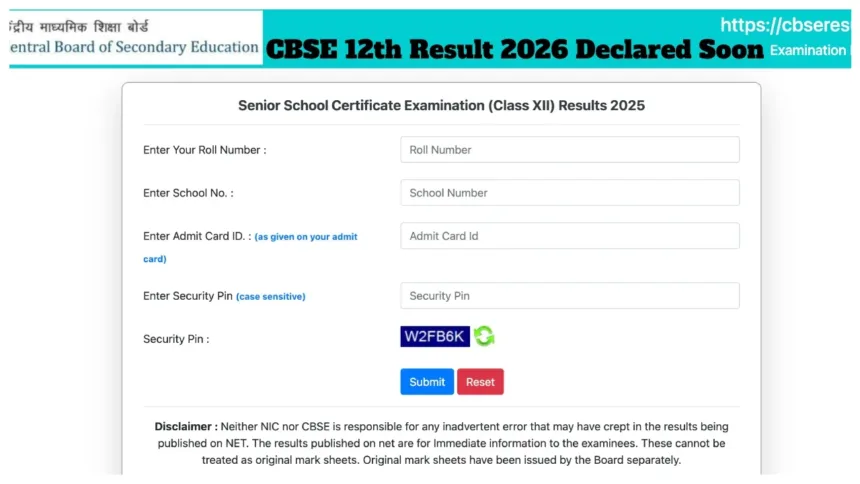
CBSE Board 12th Result 2026: The Central Board of Secondary Education (CBSE) is set to release the results for the Class 12 Board Examinations 2026 very soon. According to the latest information, the CBSE Class 12 results for 2026 may be declared in the second week of May. However, this remains merely a speculation at this stage. Earlier media reports had claimed that the CBSE Class 12 results would be released as early as April; however, this did not materialise.
CBSE Class 12 students are eagerly awaiting their results. The Board has not yet officially confirmed a specific date for the result declaration. As a reminder, the CBSE Class 12 examinations were conducted between February 17 and April 10, 2026. It is reported that the result compilation process is currently in its final stages and will soon be made live on the official website.
CBSE Board 12th Result 2026 – Key Highlights
- Expected Result Date: Second Week of May 2026 (speculative — not officially confirmed)
- Class: Class 12 (Higher Secondary)
- Board: Central Board of Secondary Education (CBSE)
- Status: Result compilation in final stages — official date yet to be announced
- Exam Duration: February 17 – April 10, 2026
Details Required to Check the Result
- Roll Number
- School Number
- DigiLocker Account (for digital marksheet)
Check Results on These Websites:
cbse.gov.in
cbseresults.nic.in
cbse.nic.in
digilocker.gov.in
results.gov.in
How to Check CBSE Class 12 Results 2026 Online
Step 1: Visit the official website at cbse.gov.in or results.cbse.nic.in.
Step 2: Click on the “CBSE Class 12 Result 2026” link located on the homepage.
Step 3: Enter your Roll Number and School Number.
Step 4: Click on the ‘Submit’ button.
Step 5: Your result will appear on the screen.
Step 6: Download the marksheet and take a printout.
How to View CBSE Class 12 Results 2026 on DigiLocker
Step 1: Open the DigiLocker app or visit the website and log in to your account.
Step 2: Navigate to the “Education” section.
Step 3: Select the CBSE Board option.
Step 4: Enter the required details and click the submit button.
Step 5: Download your digital marksheet.
IVRS Numbers:
To check results via the IVRS (Interactive Voice Response System), students must contact 24300699 (for students in Delhi) or 011-24300699 (for students in all other regions).