
PF Balance Check Made Easy, Just Dial this Number
The Employees’ Provident Fund Organization (EPFO) is providing an annual interest rate of 8.25 percent on employee deposits for the financial year 2025-26.

 Join Us
 Add as a preferred
Epf Balance Check
PF Balance Check: Millions of EPFO subscribers nationwide can now conveniently check their PF account balance from home. The Employees’ Provident Fund Organization (EPFO) is providing an annual interest rate of 8.25 percent on employee deposits for the financial year 2025-26. However, many individuals encounter technical difficulties such as UAN activation, unseeded Member ID, and OTP issues. Therefore, it is essential to understand how to check your PF balance and resolve common problems.
How to check PF balance from EPFO portal?
To check your PF balance, start by visiting the official EPFO website. Choose the “For Employees” option in the “Our Services” section. Next, click on “Member Passbook.”
Now, log in using your 12-digit UAN number and password. After logging in, select your Member ID. Your complete PF passbook along with the total deposit amount will be shown on the screen.
You can also access complete information through the UMANG app.
Smartphone users can easily check their PF balance using the UMANG app. Download the app, log in, and look for EPFO in the “All Services” section.
Then, navigate to Employee-Centric Services and click on View Passbook. After entering the OTP sent to your UAN, your balance information will be displayed on the screen.
Check balance without internet through missed call
If you lack internet access, you can still check your PF balance by making a missed call. Ensure that your mobile number is linked to your UAN, and that your Aadhaar, PAN, or bank account KYC is complete.
From your registered mobile number, dial 9966044425. The call will disconnect after two rings, and you will receive your balance and last contribution details via SMS within a few seconds.
You can also check your PF balance through SMS
EPFO provides a balance inquiry service via SMS as well. To use this, send a message to 7738299899.
The message format should be EPFOHO UAN HIN. HIN represents Hindi. You can use ENG for English and MAR for Marathi.
Why does the problem of UAN activation arise?
Sometimes, the UAN is not activated due to mismatches between the EPFO records and the Aadhaar card information. This problem arises when there are discrepancies in the name, date of birth, or gender. This can be corrected through the Joint Declaration section of the EPFO portal or by contacting the employer. If your mobile number is not linked to your Aadhaar, you will still not receive an OTP. In such a situation, it is necessary to update your mobile number in your Aadhaar account first.
How to fix Member ID not seeded error?
Many users see the error “Member ID not seeded with UAN” when opening their passbook. This means that your Member ID is not yet linked to your UAN.
To do this, log in to the EPFO portal and check your Member ID under Profile or Service History. Also, go to the Manage section and verify your Aadhaar and KYC status.
If you have recently changed your job, you can use the One Member-One EPF Account facility to transfer your old Member ID to the UAN of the new company.

Sweta Mitra
Next Article
KKR vs MI: कोलकाता के रंग में भंग डालने उतरेगी मुंबई इंडियंस, चेक करें संभावित प्लेइंग इलेवन
5 बार आईपीएल खिताब जीतने वाली मुंबई इंडियंस लीग स्टेज के आखिरी मैचों को जीतने के लिए पूरी कोशिश करती नजर आएगी. कोलकाता और मुंबई इंडियंस की प्लेइंग इलेवन कैसी रह सकती है, इससे जुड़ी जरूरी बातें नीचे डिटेल जान सकते हैं.

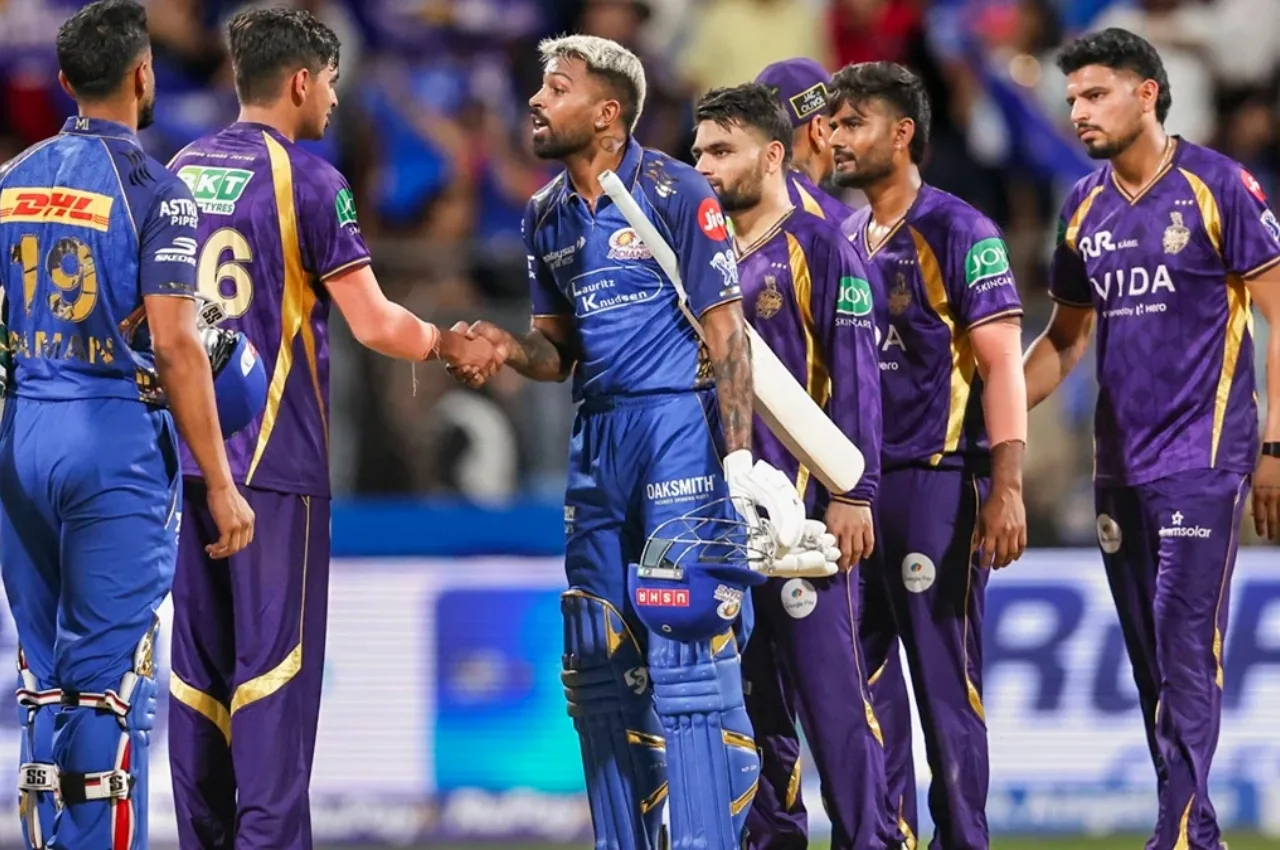
KKR vs MI Match: इंडियन प्रीमियर लीग (IPL) यानी आईपीएल का 65वां मैच कोलकाता नाइट राइडर्स और मुंबई इंडियंस (KKR VS MI) के बीच खेला जाएगा. यह मैच कोलकाता के ईडन गार्डन में शाम 7.30 बजे से खेला जाएगा. मैच काफी रोमांचकारी होने की संभावना है. मुंबई इंडियंस इन दिनों खराब दौर से गुजर रही है, जो प्लेऑफ की रेस से पहले ही बाहर हो चुकी है.
5 बार आईपीएल खिताब जीतने वाली मुंबई इंडियंस लीग स्टेज के आखिरी मैचों को जीतने के लिए पूरी कोशिश करती नजर आएगी. कोलकाता और मुंबई इंडियंस की प्लेइंग इलेवन कैसी रह सकती है, इससे जुड़ी जरूरी बातें नीचे डिटेल जान सकते हैं.
Write a Comment