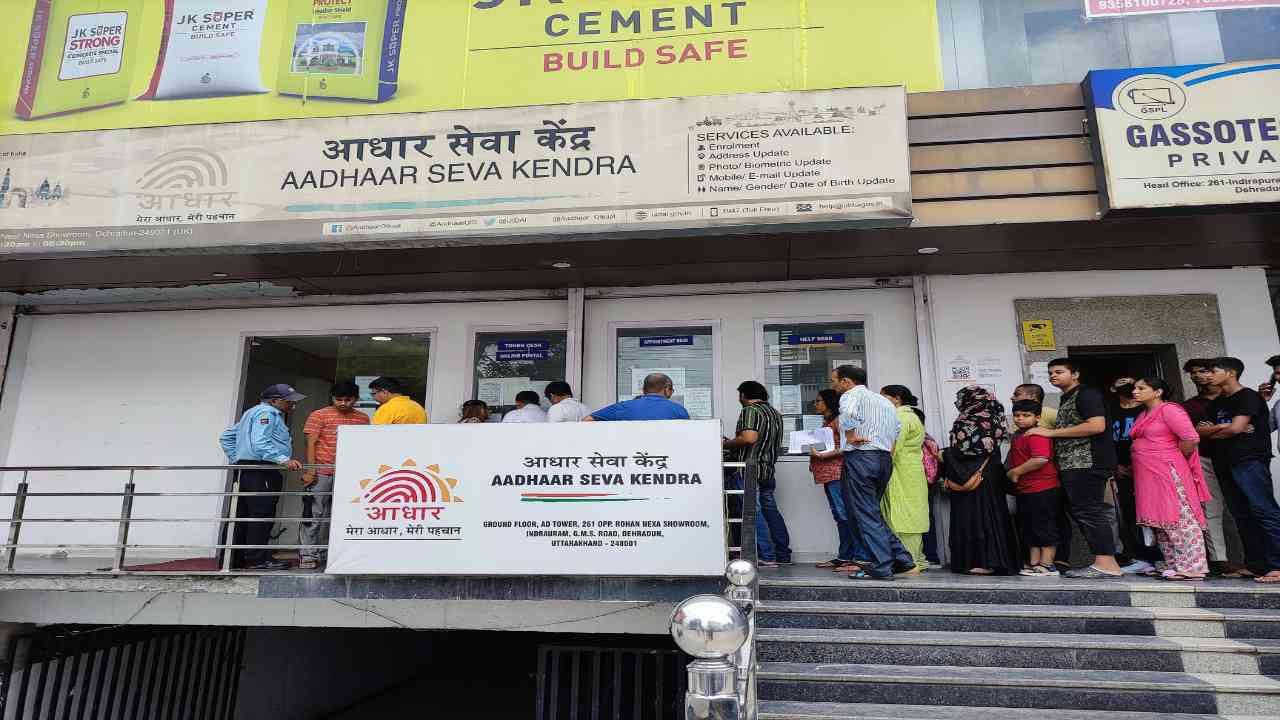
aadhaar seva kendra: There are several documents needed for different purposes. For instance, you need a driving license to operate a vehicle, and a ration card to get free government rations. Likewise, your Aadhaar Card is another important document required for many government and non-government activities. Aadhaar cards are issued to Indian citizens by the Unique Identification Authority of India (UIDAI).
These cards hold your biometric and demographic details, including your name, date of birth, address, and more. So, if you want to update your address on your Aadhaar card, change the mobile number linked to it, update your biometrics, or modify your name, you can do that. You can find out how to proceed here.
Make an appointment first
If you need to update your mobile number, address, etc. on your Aadhaar card, the first step is to schedule an appointment at your nearest Aadhaar Seva Kendra. To do this, head over to the official UIDAI link: https://appointments.uidai.gov.in/bookappointment.aspx. Choose the Aadhaar Seva Kendra, pick a date for your appointment, and complete the online payment. Don’t forget to download the receipt that pops up.
This is how you can get the update done
- If you also need to change the mobile number linked to your Aadhaar card or update your address, you can do that too. First, you need to book an appointment at your closest Aadhaar service center.
- Once you have your appointment, keep the slip you received handy and take it with you to the Aadhaar Seva Kendra.
- When you arrive, show the slip you got online at the Aadhaar Seva Kendra.
- After that, you’ll receive a token at the center and will need to wait for your turn.
- Then, the officer in charge will call you and take the slip from you.
- After this, your biometrics will be collected, and the information you provided will be entered into the system.
- You can also verify those details.
- Finally, within 0-30 days, the updates will be processed.
Latest News
- LPG – PNG Rule – LPG Connection No Longer Needed to Surrender for PNG? Check Full Details

- UIDAI Update: आधार कार्ड में कितनी बार अपडेट कराएं नाम और जन्मतिथि? जानिए अपडेट
- Cristiano Ronaldo: गरीबी, दिल की बीमारी और एक अनचाहे बच्चे से फुटबॉल के ‘सुपरस्टार’ बनने तक की अनकही कहानी

- Weather Warning – Heavy to Very Heavy Rain Alert and Storm Warning for 13 States Next 12 Hours

- Cockroach Janata Party: कैसे एक जज की टिप्पणी ने खड़ी कर दी ‘कॉकरोच जनता पार्टी’

- Bihar Havildar Clerk Admit Card 2026 Released – Download at bpssc.bihar.gov.in, Exam on June 10
- Rohit Sharma: डोंबिवली के एक कमरे के घर से ‘हिटमैन’ बनने तक की अनकही कहानी

- Best 5G phones under ₹15,000 May 2026 – Big Battery, 144Hz Display & Powerful Cameras

- Samsung Galaxy A37 5G Review: A Reliable Mid-Range Choice

- Redmi 15 5G and Redmi Note 15 5G Prices Hiked: New Rates Announced!