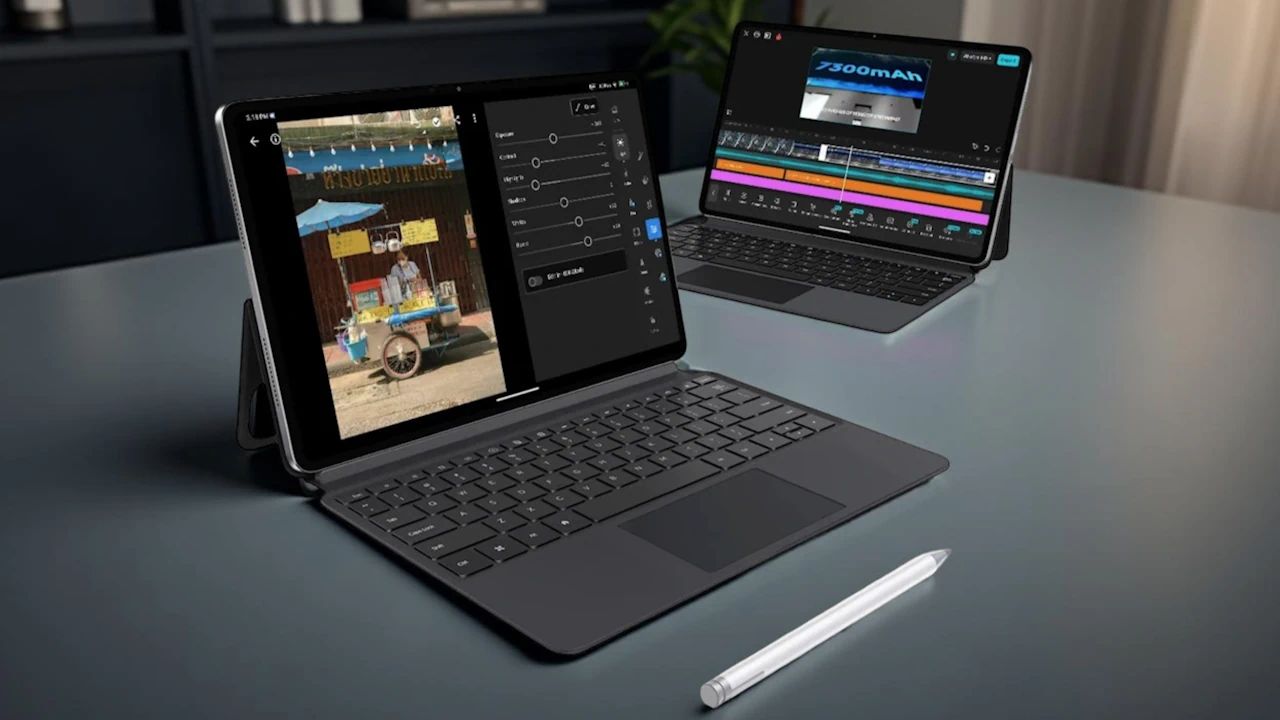
Ultra Pad specifications: The Alldocube Ultra Pad is unique as the company’s first giant 13-inch tablet that not only brings a huge display but also good performance. When combined with a dedicated keyboard, the device becomes a productivity-oriented machine that closely resembles a PC. Does the Ultra name truly live up to expectations? Let’s take a closer look.
Read More: Google Pixel 9 Pro Fold vs Honor Magic V3: Foldable Innovation
Design and Build Quality
Unlike other Alldocube tablets that have put metal and plastic together, the Ultra Pad boasts a complete aluminum unibody. The edges are very slightly rounded, though they remain a little sharp to the touch. The rear has a tidy camera module with double flash, while the front presents the massive 13-inch IPS display ringed by consistent bezels.
The Ultra Pad features four DTS audio speakers, support for an SD card, microphones, and a keyboard connector on the bottom. At 709g without the keyboard and 1258g with it, the Ultra Pad is heavier than a MacBook Air, which could make extended handheld use somewhat tiresome. However, the build quality feels upscale and deserving of its Ultra moniker.
Performance and Hardware
Ultra Pad has the Snapdragon 7+ Gen 3 processor, which makes it one of the fastest tablets in Alldocube’s inventory. It scored a whopping 1.4 million on Antutu, guaranteeing seamless multitasking, app performance, and AI support. It might not be the most convenient gaming tablet because of its size, but the sheer horsepower guarantees smooth execution of heavy tasks without batting an eye.
Display Experience
The 2.8K IPS 13-inch display is clear and vivid, with a 144Hz refresh rate and 700 nits of peak brightness. Video watching is immersive, and everyday use feels responsive and smooth. The tablet also features Widevine L1 certification, so streaming services work perfectly with it. A pre-applied protective film prevents the screen from getting scratched.
Productivity Features
Its PC mode, with its single focus on the PC, creates a Windows-like desktop environment. The user is able to resize application windows, access functionality quickly through touch input, and multitask with ease. Integrating the tablet with its magnetic keyboard and touchpad accessory takes productivity further. Dedicated function keys, such as an AI key, simplify the tasks. DP output is also supported so that the tablet can be connected to external monitors for large workspaces.
AI Integration with Cube AI
AI has been baked into the experience with Cube AI, which can be initiated with voice call (“Hi Coo Bee”). It assists in functions such as making travel arrangements, translating content, summarizing meeting summaries, or even capturing on-screen material for processing. These functionalities make the Ultra Pad a powerful productivity buddy.
Cameras and Battery Life
The tablet has a 13MP rear camera and a 5MP front camera, perfect for video calls and random photography. It is powered by a humongous 15,000mAh battery, combined with a 33W fast charger. This guarantees uninterrupted usage and rapid top-ups, making it great for prolonged work or entertainment sessions.
Verdict: A Powerful Giant Tablet
The Alldocube Ultra Pad fulfills its Ultra title with strong performance, large and silky smooth screen, cutting-edge AI capabilities, and a convenient keyboard accessory. Though a bit on the heavy side, it is designed for individuals seeking a productivity-oriented tablet offering laptop-quality functionality. For professionals, students, or entertainment buffs, this tablet is a robust and inexpensive offering at $299.99.