


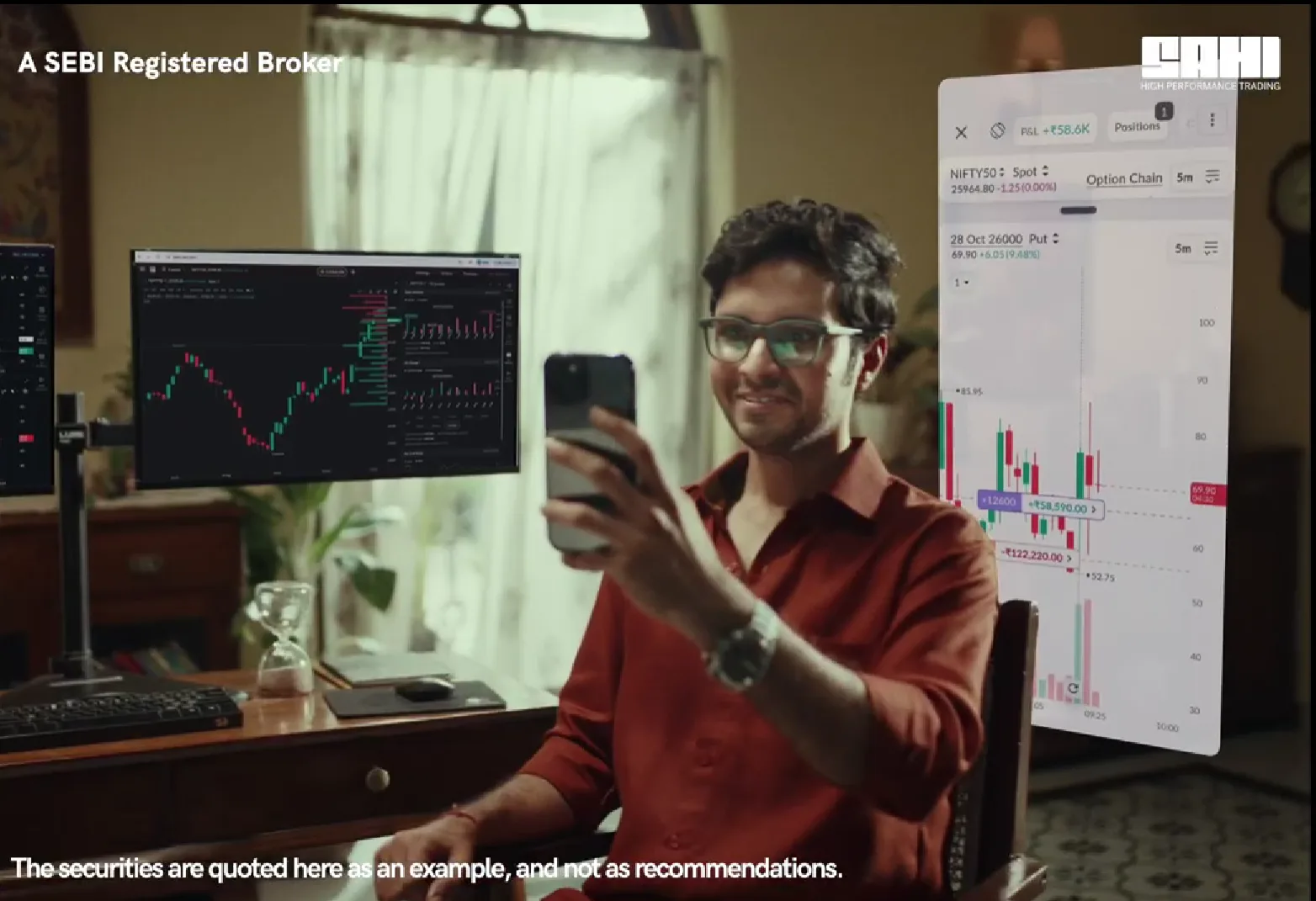
Scalping is a game of seconds. You enter fast, manage tighter, and exit before most traders have even confirmed their setup. In that kind of environment, your platform is either your edge or your obstacle.
For most scalpers using conventional trading apps, it’s usually the obstacle.
Charts in one tab. Option chain in another. Positions buried in a third. By the time you’ve pieced it all together, the momentum you were tracking has already moved – and so has your potential profit.
This is the fundamental problem that Sahi’s single-screen trading solves.
Key Takeaways
- Single-screen trading removes tab-switching entirely, letting scalpers move from observation to execution without losing market context or momentum between screens.
- Sahi’s Scalper Mode unifies dual charts, a live option chain, smart indicators, and auto SL/TP into one purpose-built workspace designed for serious F&O traders.
- Features like Super Alerts, one-tap orders, and Custom Trailing SL reduce screen fatigue, protect open positions, and keep risk management consistent without relying on reaction speed.
- Sahi’s dedicated Option Seller Terminal offers a complete single-screen experience, enabling traders to analyse, execute, and manage positions – including basket orders and instrument-wise tracking – without switching screens.
The Real Cost of Screen-Switching
Most traders underestimate what screen-switching actually costs them, not just in time, but in mental sharpness.
Every time you leave your chart to check the option chain, you lose context. You return to a slightly different market, reconstruct what you were reading, and hesitate. In scalping, hesitation doesn’t just mean a worse fill. It can mean the trade is gone entirely.
Single-screen trading eliminates this cycle. When charts, OI data, Greeks, and order controls live on one screen, your decision-making flows directly from observation to execution. No friction. No gap.
How Sahi’s Scalper Mode Puts Everything on One Screen
Sahi has introduced a dedicated Option Seller Terminal built entirely around a single-screen trading experience. Traders can analyse setups, execute trades, and manage positions without ever leaving their screen.
The terminal supports basket orders, quick position exits, and on-chart position tracking – including the ability to separate positions by instrument, so, for instance, Nifty and Sensex trades don’t get tangled up in the same view.
Here’s what single-screen trading actually looks like on the Sahi trading app.
Option chain inside scalper
There’s a moment every scalper knows. Your setup appears, but confirming the strike means leaving your execution screen. Those few seconds are often enough for the move to vanish.
Sahi places the live option chain directly inside Scalper Mode – strike-wise OI, OI change, Greeks, and expiry selection, all on the same screen where you place trades. Your entries are backed by live data without a single tab switch.
Dual chart view
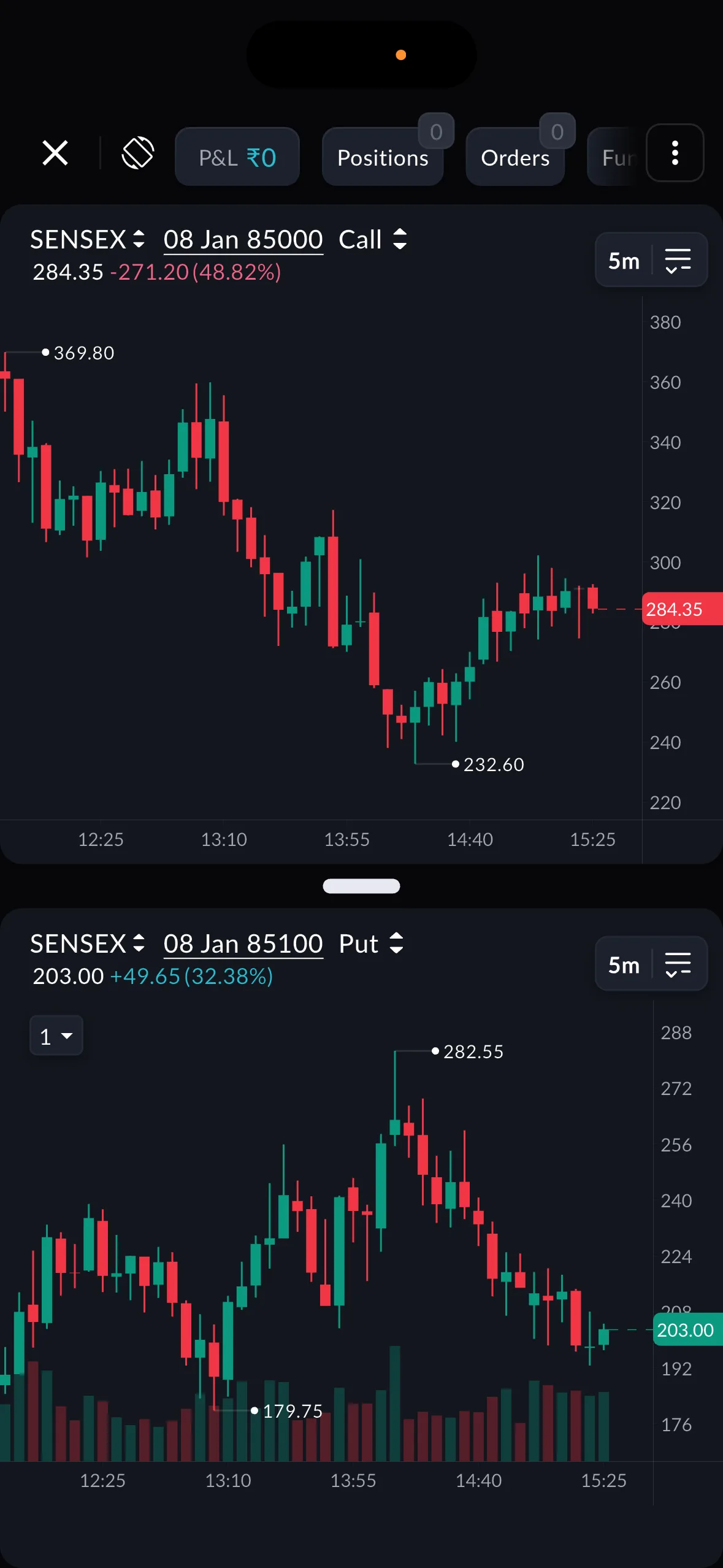
Dual chart view in the Sahi trading app
Sahi lets you monitor two charts side by side – Index + Option, or Call + Put – fully synced on timeframe and crosshair on your mobile, and even 6 charts on the web version. When premium behaviour diverges between legs, you see it immediately. When momentum builds on one side, you act on the same screen, not after cross-referencing another window.
1-tap execution and chart-based exits
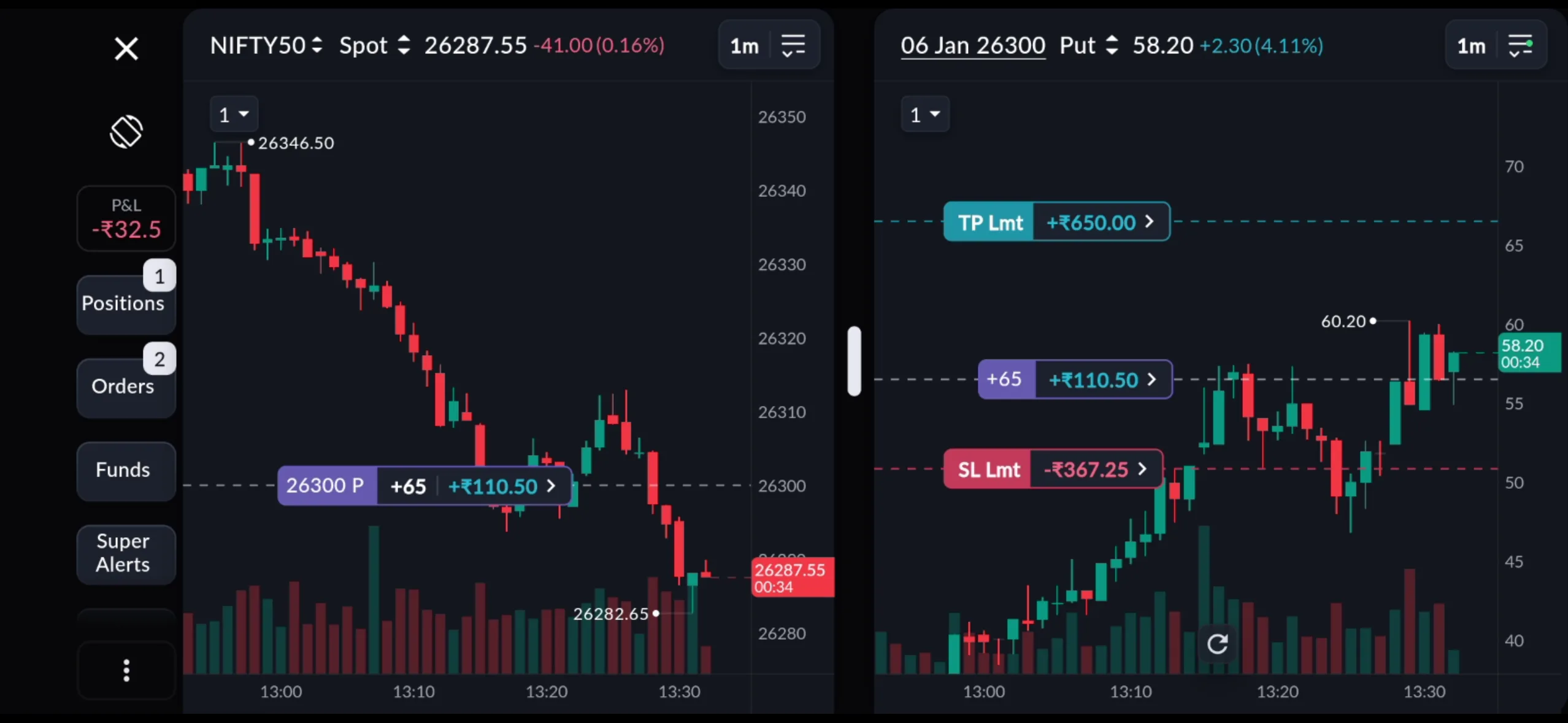 1-click chart exit for a seamless experience on Sahi
Sahi’s Scalper Mode supports 1-click execution on web and 1-tap chart exits on mobile. With Scalper 2.0, exits can now be placed as Limit orders directly from the chart, giving you the speed of chart-based execution with the precision of a defined price, reducing slippage on fast-moving trades.
Auto SL/TP and custom trailing SL
Set your stop-loss and take-profit logic once, and Sahi applies it automatically to every trade that follows. Your exits stop depending on your reaction speed and start following your system. The custom trailing SL goes further – letting you define exactly how your stop tracks momentum, so risk management adapts to your style, not a platform default.
Super alerts
Constant screen-watching builds fatigue, and fatigue leads to impulsive trades. Super Alerts let you set triggers based on price levels or candle behaviour. The moment your setup appears, you’re notified – called into the market precisely when conditions are met, not a moment before.
Sahi Pulse
Even on a single screen, open positions can slip out of focus. Sahi Pulse floats your live P&L and candle movement as a picture-in-picture overlay, even when you switch apps. Your trade stays visible. Your awareness never drops.
Smart indicators and order defaults
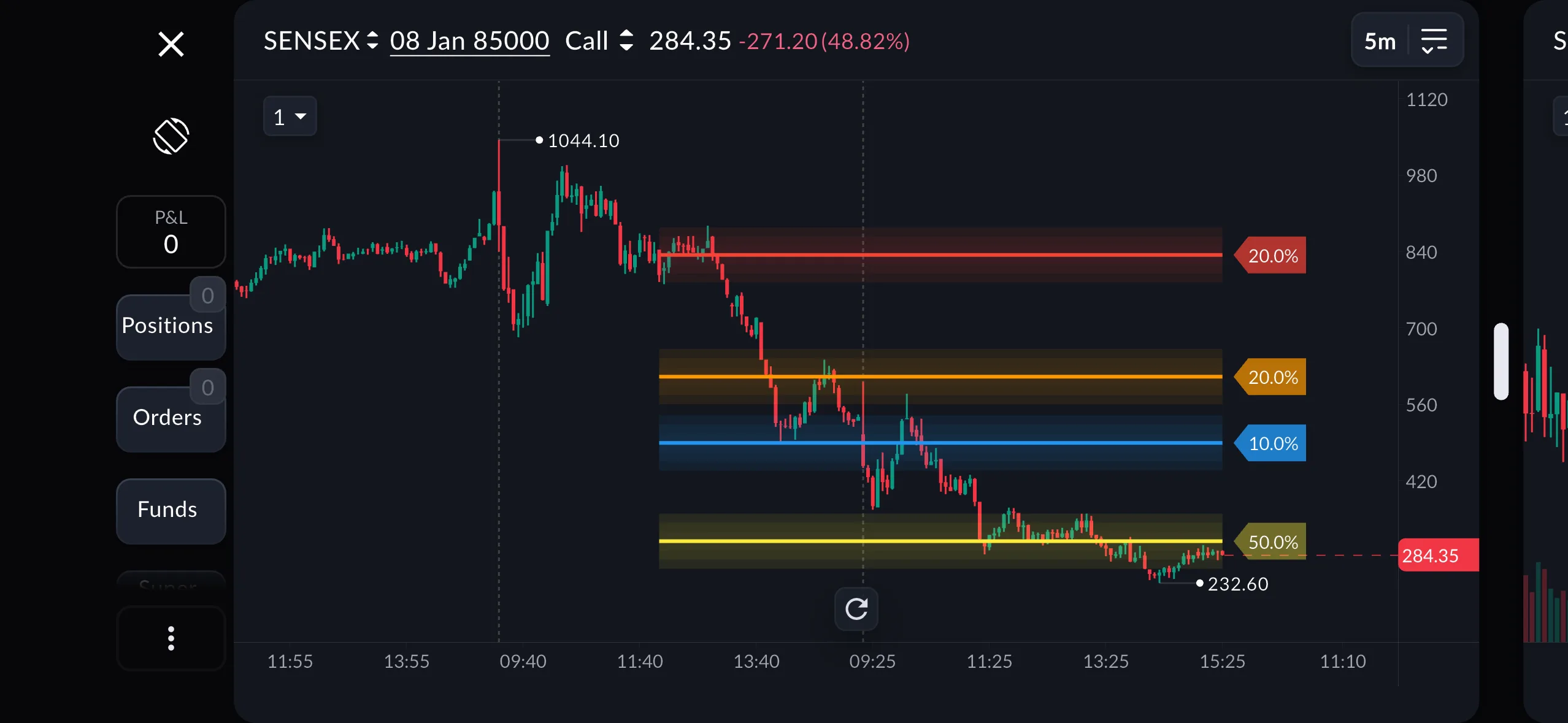 Smart indicators within the charts
Key Levels, OI Profile, and OI Support-Resistance sit directly within your charts and update in real time. Order Defaults remember your preferred settings so you’re never resetting parameters before an entry.
Additionally, Sahi has launched 13 new technical indicators on Sahi Charts for a more seamless experience.
The Bottomline
Single-screen trading is a requirement. The Sahi trading app removes the friction that fragmented platforms build into every session. Scalper Mode keeps charts, option chain data, smart indicators, and order controls unified so your focus stays on the market, not the interface.
Sahi’s pricing matches this no-nonsense approach: free brokerage for the first 30 days, ₹10 per executed F&O order, and no annual maintenance charges.
To know more about Sahi and their products, visit www.sahi.com. You can also follow Sahi on X for all the latest updates.
Note – All financial decisions, investments, or actions taken based on the information found on timesbull.com are done strictly at your own risk. The content provided on this website is for general informational and educational purposes only and should not be interpreted as professional advice.