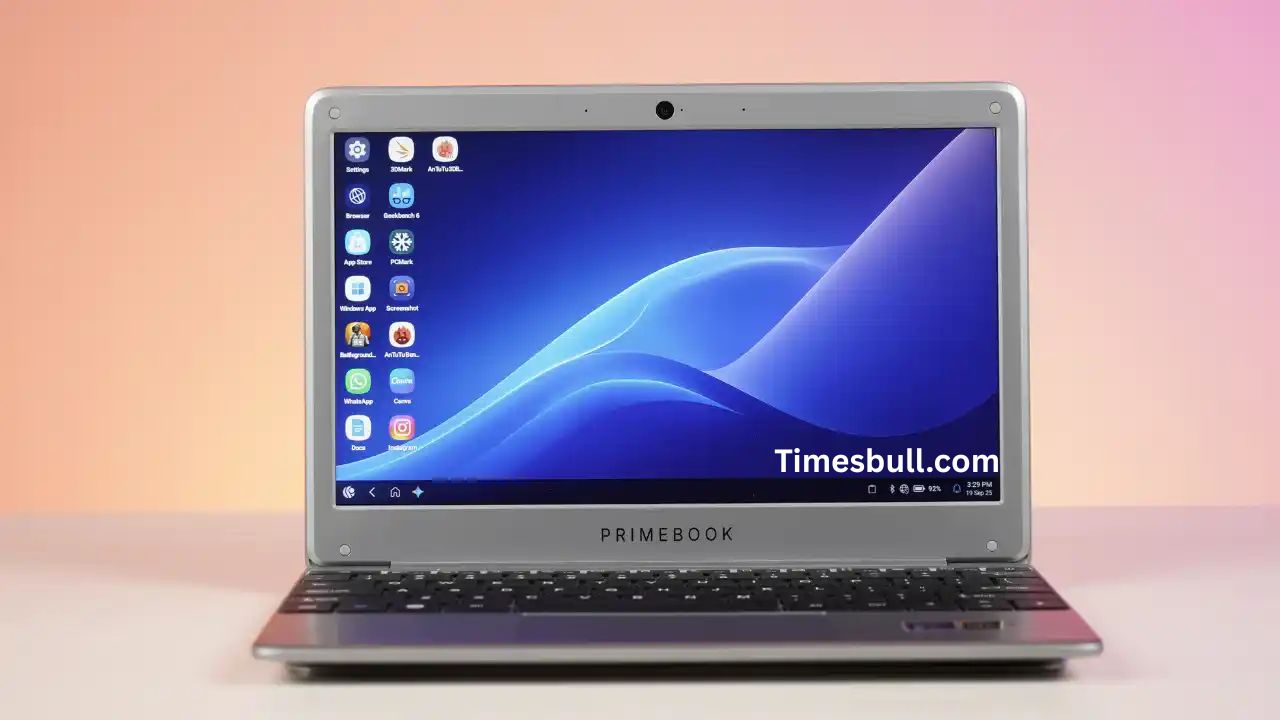
Primebook 2 Neo laptop: Following its initial launch in 2023, Delhi-based startup Floydwiz Technologies is back with its second-generation Android laptop, the Primebook 2 Neo. The model retails for ₹15,490 and improves upon its predecessor’s success with better hardware and access to cloud-based Windows and Linux OS, giving users the best of two worlds. But can it replace an entry-level Windows laptop? Let’s see.
Read More: Apple AirPods Pro 2 delivers a major audio upgrade you shouldn’t miss
Compact Design, Average Durability
At 1.1 kg, the Primebook 2 Neo is incredibly light and portable, ideal for students and professionals who are always on the move. Its matte silver finish exudes a premium feel despite the fact that it is made of plastic. The build quality is not perfect, though; the hinge is loose, and the lid wobbles with pressure. With time, there might be minor scratches and paint chips that remind you it is a budget laptop. Nevertheless, the slim profile and convenient one-hand opening make it a pleasure to take with you.
Display Quality and Everyday Use
The Primebook 2 Neo features an 11.6-inch HD IPS screen that provides fair color balance and viewing angles in indoor settings. The brightness is 250 nits, which makes it fine for office or classroom settings but not so good outdoors. The visuals are sharp enough for document editing and web browsing, but multimedia users might feel constrained by the HD panel. A 2MP webcam perches atop the screen and is decent for casual video calls, but image quality is elementary at most.
Keyboard and Trackpad Experience
Typing on Primebook 2 Neo is surprisingly pleasant. The keyboard has 78 neatly spaced keys with pleasing travel and feedback, providing an effective typing experience. The arrow keys are also full-sized, a rarity in small laptops. The trackpad is small but responsive and allows gesture controls such as app switching. A bigger pad would have been preferable, but given the price, it’s a good overall package for simple productivity tasks.
Audio and Connectivity Options
The dual downward-firing speakers deliver loud but subpar sound. They’re adequate for YouTube or calls, but start distorting at higher volumes. Connectivity, though, is very generous. The laptop features two USB 2.0 ports, two USB-C ports (one OTG, one charging), a microSD card slot, and a 3.5mm audio jack. Wireless connectivity is managed via Bluetooth 5.1 and Wi-Fi, though there’s no Quick Share support.
PrimeOS 3.0: Where Android Meets Windows
Running on PrimeOS 3.0 (Android 15-based), the device is like a cross between Windows and Android. The UI boasts a familiar start menu, control panel, and app drawer. It even comes with Google Gemini Live for AI-powered help. You can use cloud-based Windows or Linux for ₹20/month, perfect for light productivity apps. Multitasking in cloud mode does lead to slight lags, particularly when you use browser-based tools or edit documents.
Performance and Battery Life
Inside, the Primebook 2 Neo is equipped with the MediaTek Helio G99 processor, 6GB LPDDR4x RAM, and 128GB UFS 2.2 storage. For an average user, it holds up well while navigating web browsing, streaming, and even games like BGMI or Call of Duty Mobile smoothly through its key-mapping feature. Benchmarks fall in line with budget tablets, but heavy multitasking can make it sluggish. The 29.6Wh battery provides five to six hours of moderate usage and charges completely in two hours using the 24W adapter included.
Verdict: A Smart Pick for Light Users
The Primebook 2 Neo fills the gap between a budget laptop and a tablet seamlessly. The dual-OS mode, lightweight body, and decent typing experience make it an ideal buddy for students or those buying their first laptop. But the average screen, the meager RAM, and modest build quality ensure it’s not designed to handle intensive tasks.
Latest News
- PM Kisan Samman Nidhi Yojana: नहीं मिल रही 2000 रुपये की किस्त तो किसान तुरंत करवा लें यह काम

- Aadhaar Card Update Rules – How Many Times Can You Change Address, DOB & Number?

- Train Ticket: How to book a confirmed train ticket without an agent? Learn the Easy Steps

- Indian Railways– 155 Trains Express Declared High-Speed, Thousands of Railway Staff to Benefit

- Monsoon Alert – Warning Heavy to Very Heavy Rain alert & thunderstorms in 22 States Over Next 4 Days

- America-Iran War: मिडिल ईस्ट में तनाव होगा खत्म! ईरान ने होर्मुज रास्ते पर कही बड़ी बात

- PM Surya Ghar Yojana 2026: Get Up to Rs 78,000 Subsidy within 6 Easy Steps, Know Here

- Cheapest Available 5G Smartphones in India Under 10000

- UPSC Prelims Answer Key 2026 – How to Download UPSC Prelims Answer Key at upsc.gov.in

- 8th Pay Commission: एनपीएस और पुरानी पेंशन में कौन सी बेहतर, जानिए बड़ा अपडेट