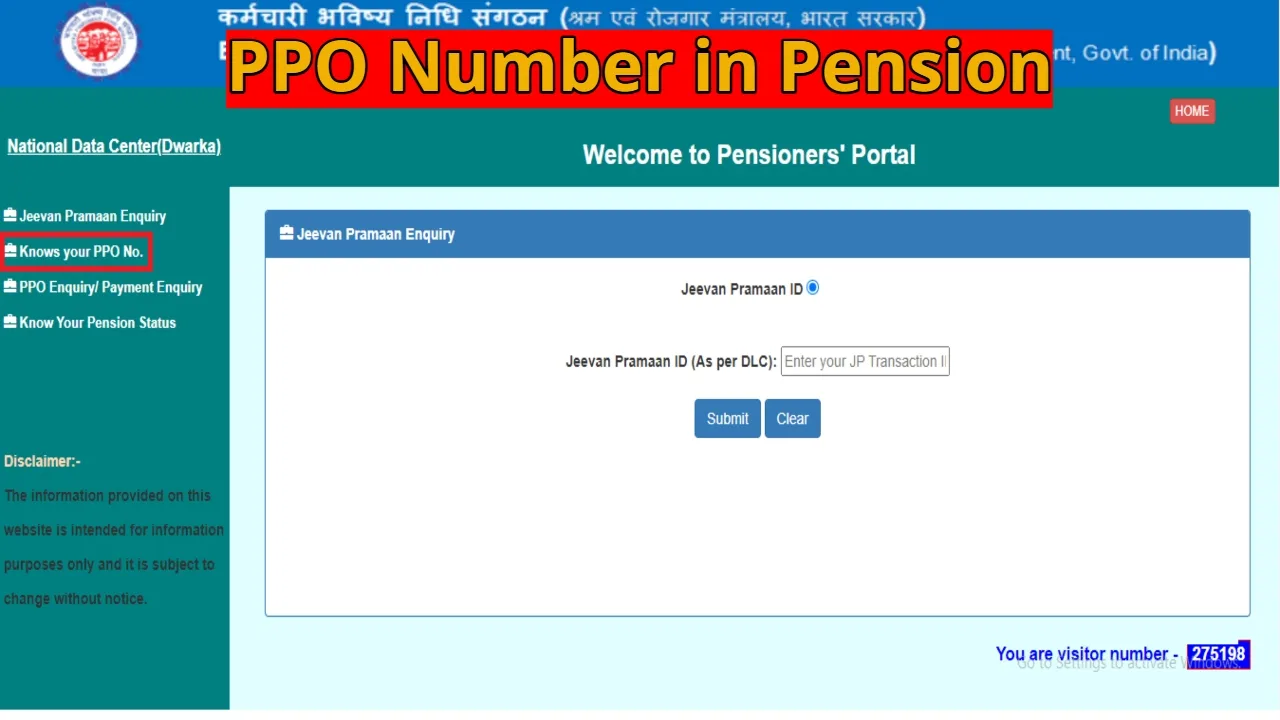
PPO Number in Pension: All pensioners receiving their pension after retirement are given a unique code called a Pension Payment Order (PPO). This is a 12-digit alphanumeric number, issued individually for each pensioner. The PPO number is issued under the Employees’ Pension Scheme (EPS), which is part of the Employees’ Provident Fund (EPF). This number allows you to view all important pension information, such as the issuing authority, year, account details, and security code, in one click.
What information does the PPO number contain?
The PPO number is divided into four main parts, each of which has a different significance. The first five digits indicate the code of the issuing authority. The next two digits indicate the year in which the PPO was issued. The next four digits are the sequential number of the PPO. The last digit is a check digit, which ensures the security and validity of the number. This structure allows pensioners to easily verify the authenticity and validity of their PPO number.
Benefits and Uses of the PPO Number
The PPO number is not just a code, but a vital lifeline for pensioners. It allows them to check their pension status and amount. Having a PPO number is essential for making any complaints or updates. Providing the PPO number is essential when changing bank accounts to ensure smooth pension transfers. Furthermore, it is mandatory to mention the PPO number in the life certificate submitted annually.
What to do if a pensioner loses their PPO number?
There’s no need to worry if they lose their PPO number. The PPO number can be easily retrieved through the EPFO portal or DigiLocker. Simply knowing the bank account number or EPF number is sufficient.
How to Check EPFO PPO Number Online
To find your PPO number online, first visit the EPFO’s official website, www.epfindia.gov.in. Select the “For Employees” option under the “Services” tab. Scroll down and click on “Pensioner’s Portal” and select “Know your PPO number.” Enter the required information, such as your bank account number or PF number. Your PPO number will appear on the screen within seconds. Alternatively, PPO details can also be accessed using your UAN number via the DigiLocker app or website.
Latest News
- Apple MacBook Neo Deal Alert: Get It For Under ₹58,000 on Amazon Right Now

- Pakistan Attack: आत्मघाती हमले से दहला पाकिस्तान, 23 लोगों की मौत, 50 से ज्यादा घायल, जानें

- Honor Magic 9 Series Leaks: Flagship Upgrades with Massive 8,000mAh Battery and 200MP Cameras

- Motorola Edge 60 Fusion Review: Mid-Range King or Outdated?

- FD Update– Breaking Your FD Early? Know the consequences

- Bank Holiday–RBI Announces Closure of SBI, HDFC and All Banks Next Week, Save the Dates

- Samsung Galaxy S26 Ultra Amazon Deal – Get ₹23,509+ Discount with Bank Offers and Exchange Benefits

- Best Scooters For College Girls 2026 – Perfect Mix Of Mileage, Style And Lightweight Design

- Kodak Matrix QLED Google TV 2026 Series Launched in India Just Under 10,999

- Senior Citizen FD Rates: सीनियर सिटीजन को यहां से मिल रहा बंपर ब्याज, जल्द करें निवेश