
SBI YONO 2.0 Complete Guide (May 2026): Answers to All Your Questions – SMS Alerts, App Fixes, KYC, Charges & More
This detailed guide provides clear answers to the most common questions about SBI’s digital banking services, specifically as they stand in May 2026. With the launch of YONO 2.0, SBI has significantly transformed its digital offerings by merging its mobile app and internet banking into a unified platform. Whether you’re facing a technical glitch, looking to update your personal details, or trying to understand a bank charge, you’ll find straightforward, step-by-step solutions below.

 Join Us
 Add as a preferred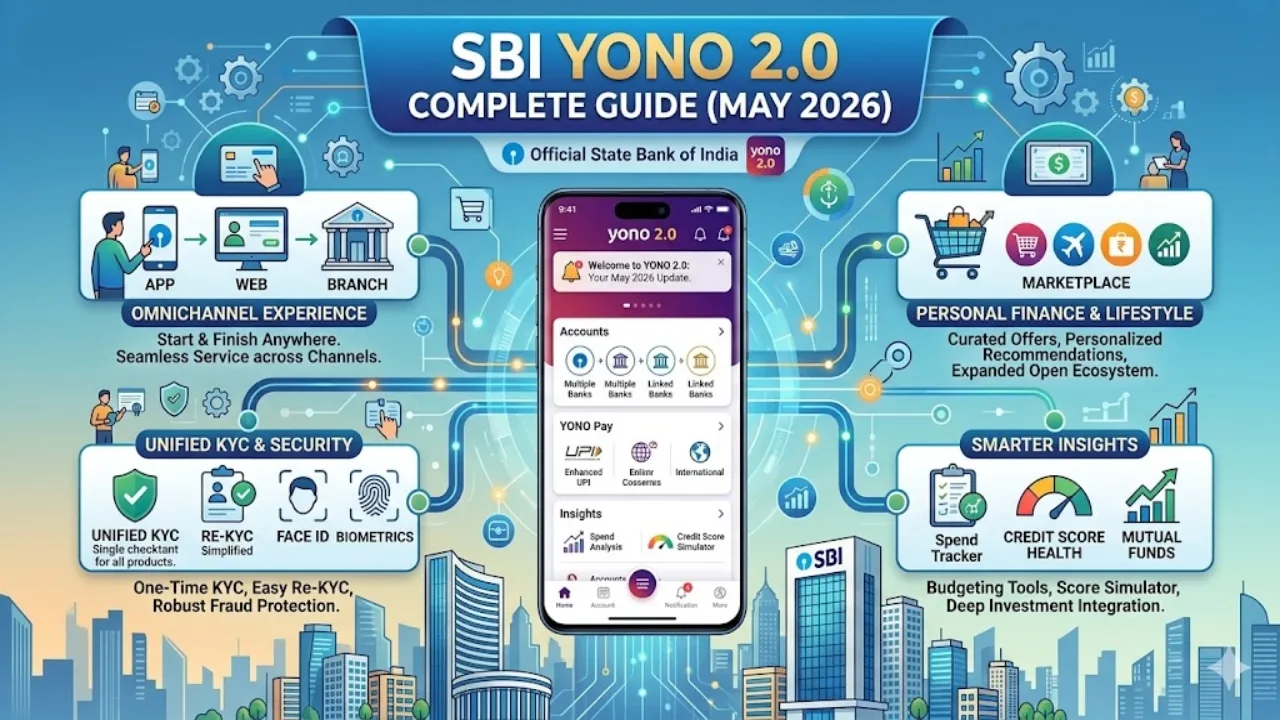
Sbi Yono 2.0 Complete Guide
This detailed guide provides clear answers to the most common questions about SBI’s digital banking services, specifically as they stand in May 2026. With the launch of YONO 2.0, SBI has significantly transformed its digital offerings by merging its mobile app and internet banking into a unified platform. Whether you’re facing a technical glitch, looking to update your personal details, or trying to understand a bank charge, you’ll find straightforward, step-by-step solutions below.
What is SMS Alert in Yono SBI?
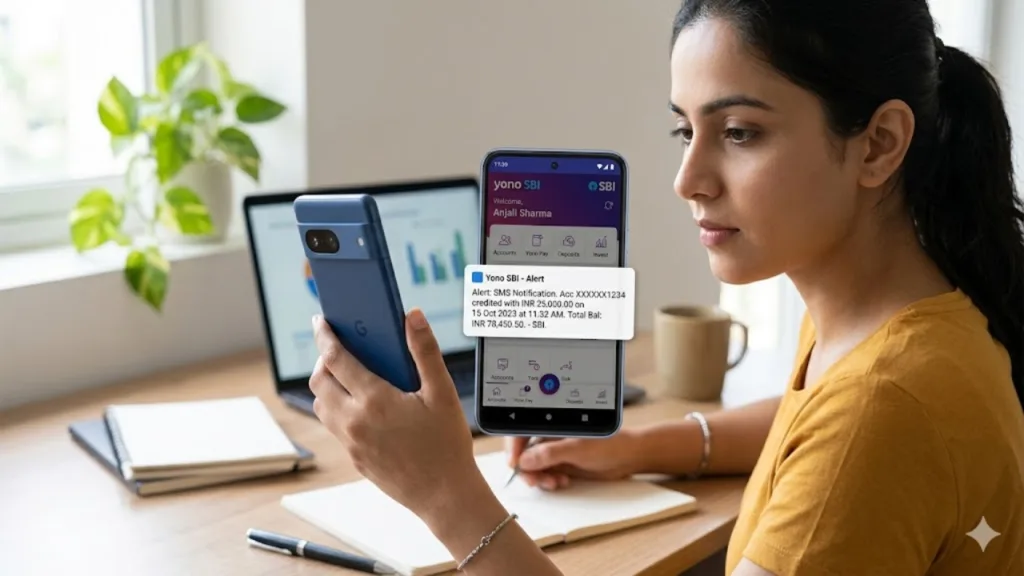
SBI’s SMS Alert is a security and convenience feature that sends real-time notifications about important activity in your bank account directly to your registered mobile number. These alerts are not the same as marketing messages—they are transaction-based notifications triggered by events you set up beforehand, helping you monitor your finances 24/7. These alerts, which you can personalize through your YONO app or internet banking, include: Credit Alerts: Notifies you when money is deposited into your account above a certain amount. Debit Alerts: Notifies you when a payment or withdrawal is made from your account. Balance Alerts: Warns you if your account balance falls below a pre-defined level. Note on SBI's ₹5000 threshold: If you are not receiving alerts for small transactions, know that by default, SBI sends SMS alerts for credits and debits of ₹5,000 or more. You can log in to YONO to lower this amount if you wish to track smaller transactions.

Why is the SBI YONO App Not Working?
Experiencing issues with the app is a common frustration. Based on SBI's official updates and user reports throughout 2025 and 2026, the problem usually falls into one of four main categories: Temporary Server or Maintenance Issues: SBI itself has publicly acknowledged that YONO can face technical disruptions. For example, in early 2026, SBI confirmed and resolved OTP and login issues, apologizing for the inconvenience and restoring services within hours. If the app is down for everyone, there is nothing you can do but wait for the bank to fix it. Dual SIM Conflicts (SIM Authentication Error): Starting in early 2026, many users began reporting a "SIM authentication error." This often happens when your mobile number registered with the bank is placed in a phone’s secondary SIM slot (SIM 2). As a troubleshooting step, try moving your SBI-registered SIM card to the primary slot (SIM 1), especially when logging in or registering. Outdated App Version: Always ensure you are on the latest version of YONO. SBI has been aggressively updating its app to fix bugs from the YONO 1.0 era. An outdated version may have compatibility issues. Go to your app store to check for updates. Corrupted Cache or Reinstallation: If the app crashes or freezes, clearing the app's cache in your phone's settings can help. If problems persist, try "reinstall and re-register," as this often fixes persistent technical bugs.
How Do I Update My Email on YONO SBI?
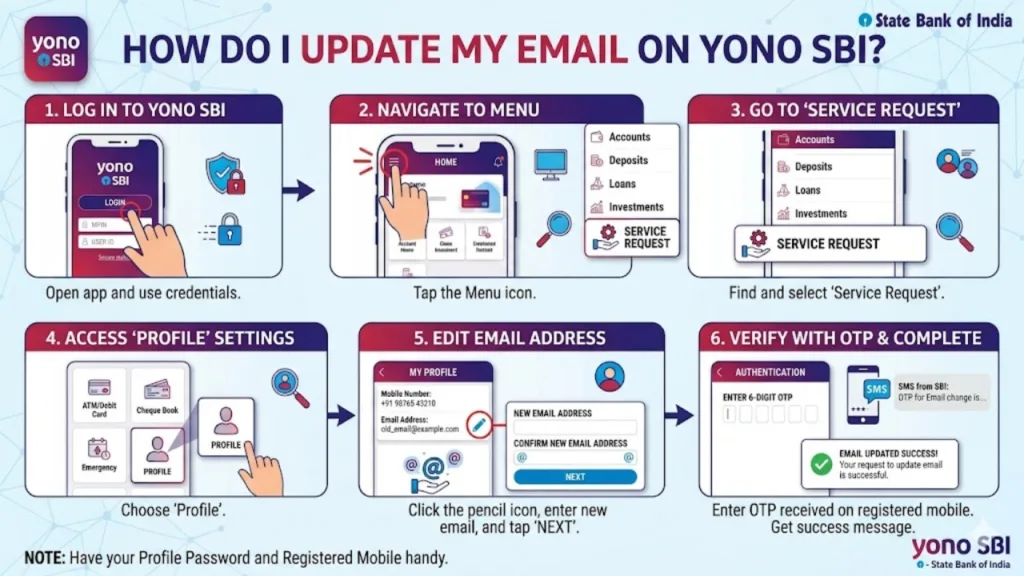
Updating your email ID is a straightforward process using the YONO SBI App. You do not need to visit a branch for this. Here are the detailed steps: Log in to your YONO SBI mobile application. Look for and tap on the Service Request option in the main menu. Inside Service Request, open the Profile section. You will see your current email ID displayed. Click on the small pencil or Edit icon next to it. For security, the app will ask for your Net Banking Profile Password. Enter it to proceed. Type in your new email address, confirm it, and the update will be completed instantly.
Did the YONO SBI App Change?
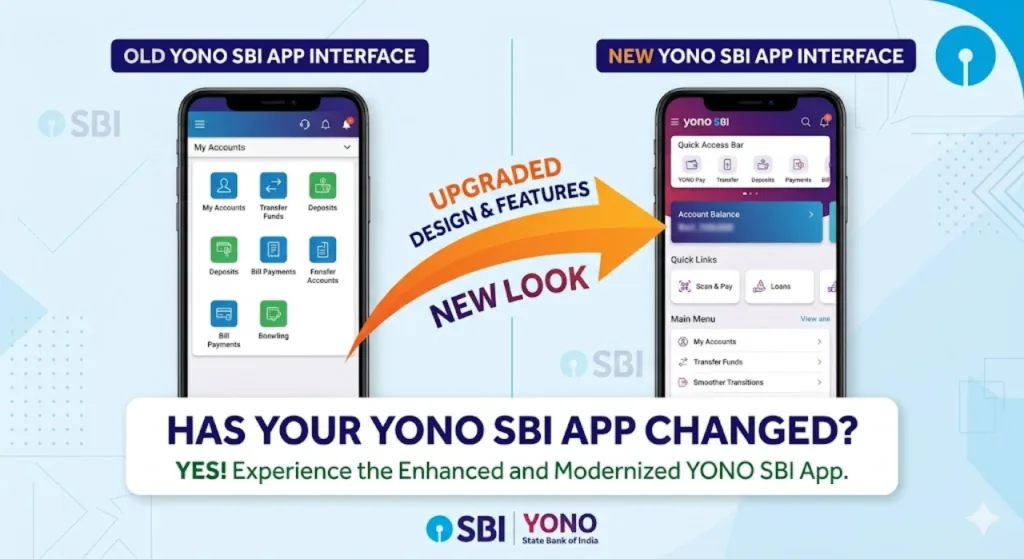
Yes, the YONO SBI app has changed significantly. In December 2025, SBI launched YONO 2.0, which is the biggest upgrade in the platform’s history. The changes are not just cosmetic; they fundamentally alter how you bank with SBI: Unified Platform: Previously, YONO (mobile) and OnlineSBI (desktop) were separate. Now, YONO 2.0 is a unified digital banking platform that works seamlessly across your phone, tablet, and computer. Switching between devices is seamless. No More Mandatory Internet Banking: You no longer need to register for separate internet banking before using the mobile app. New customers can download YONO 2.0 and start banking directly. Simplified KYC: YONO 2.0 introduced a fully digital, paperless, and branchless KYC process using video calls and Aadhaar authentication. All-in-One Super App: It now integrates banking, shopping, bill payments, insurance, investments, and travel bookings into a single interface
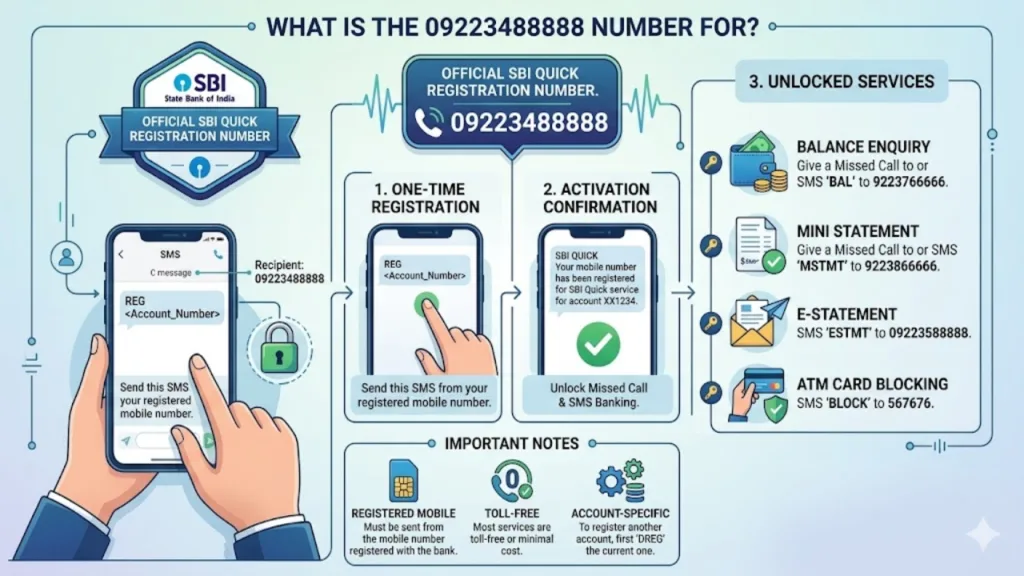
What is the 09223488888 Number For?
The short code 09223488888 is SBI’s official Missed Call Banking Service number. This service is specifically designed to help you get account information quickly without needing an internet or smartphone connection. To register: You must first send an SMS with the text REG [Your 11-digit Account Number] to 09223488888 from your registered mobile number. To use: Once registered, simply give a missed call to 09223488888 from your registered mobile number. You will receive an SMS back with your account balance. Mini Statement: Some users note that giving a missed call to this number also returns a mini-statement of recent transactions.
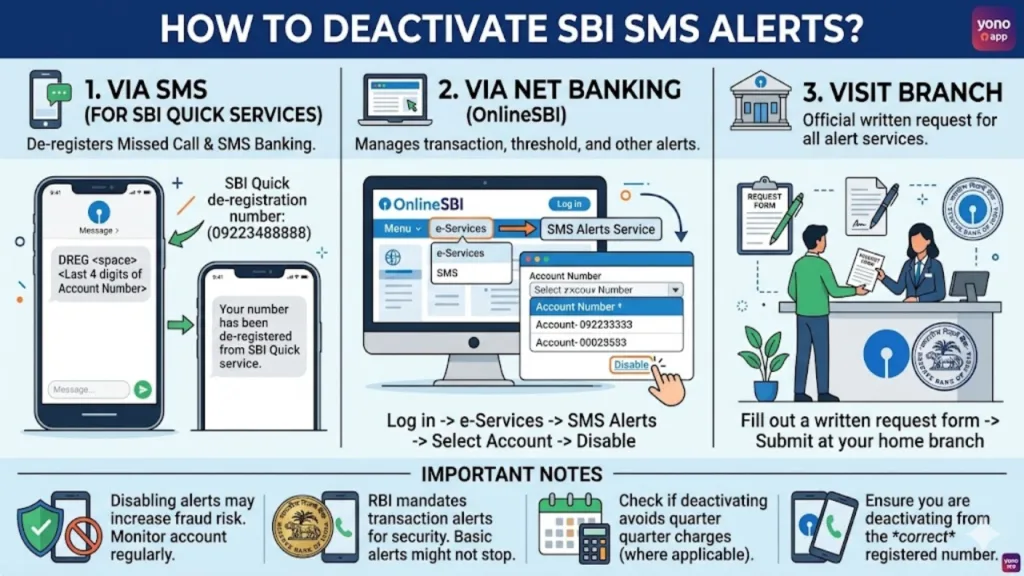
How to Deactivate SBI SMS Alerts?
If you want to stop receiving SMS alerts from SBI (for example, to avoid the quarterly service charges), you can do so easily through SBI’s internet banking portal (OnlineSBI). Here is the step-by-step method as of May 2026: Visit the official SBI internet banking website (OnlineSBI) and log in with your username and password. In the main menu, navigate to the e-Services (or Requests) tab. Look for and select SMS Alerts Registration/Updation. You will see a list of your bank accounts. Select the specific account for which you want to stop the SMS alerts. On the next page, you will find a Disable hyperlink. Click on it. The bank will ask for your consent to confirm the deactivation. Confirm the request, and your SMS alerts will be immediately silenced
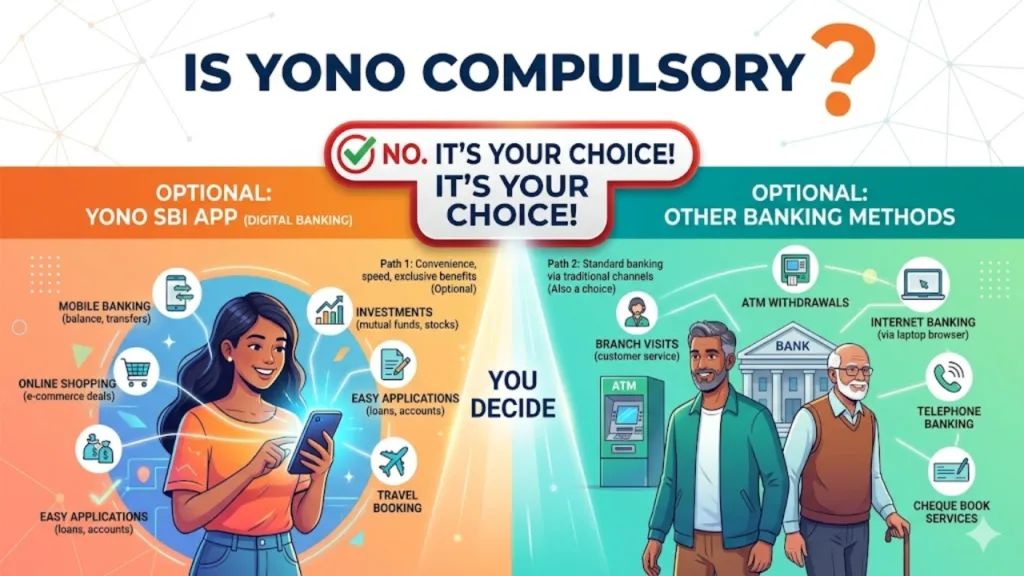
Is YONO Compulsory?
As of May 2026, YONO 2.0 is highly recommended and increasingly the default digital channel for SBI, but it is not legally compulsory for all customers. However, there are important nuances to understand: Phasing out of YONO Lite: SBI officially announced the discontinuation of the YONO Lite app starting December 1, 2025, to consolidate all users onto the main YONO 2.0 platform. Incentivized Usage: SBI is actively hiring staff and rolling out new features (like free credit scores and better rewards) specifically to encourage customers to migrate to YONO 2.0. Alternative Channels: If you do not wish to use YONO, you can still access many banking services through a physical branch, the official SBI website, ATMs, and missed call banking. However, for the most convenient digital experience, YONO is now the primary tool. Verdict: While not 100% compulsory, refusing to use YONO will limit your access to modern digital services and may eventually lead to higher fees or reduced functionality as the bank sunsets older digital platforms.
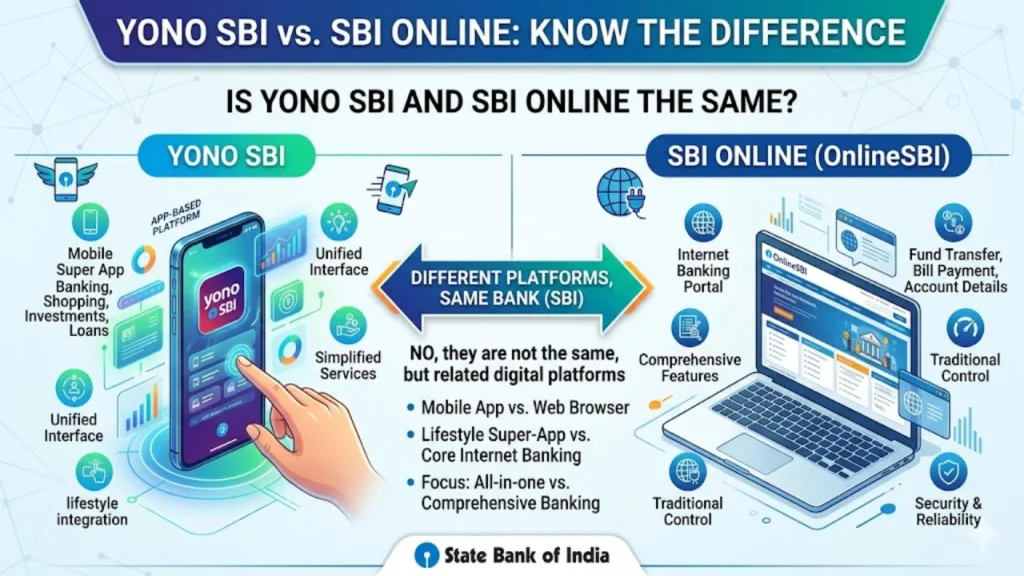
Is YONO SBI and SBI Online the same?
Not anymore—they are now one unified system. Before December 2025, YONO SBI referred to the mobile app, while "SBI Online" referred to the desktop internet banking portal. They were different systems. With the launch of YONO 2.0, SBI has completely rewritten its internet banking coding and integrated it with the mobile app into a single unified backend system. The desktop/laptop banking portal is now officially called YONO Net Banking. The smartphone app is called YONO SBI App. Both now share the same login credentials, data, and user interface logic, providing a consistent experience across all devices. If you update your profile on your phone, it instantly updates on the desktop site and vice versa.
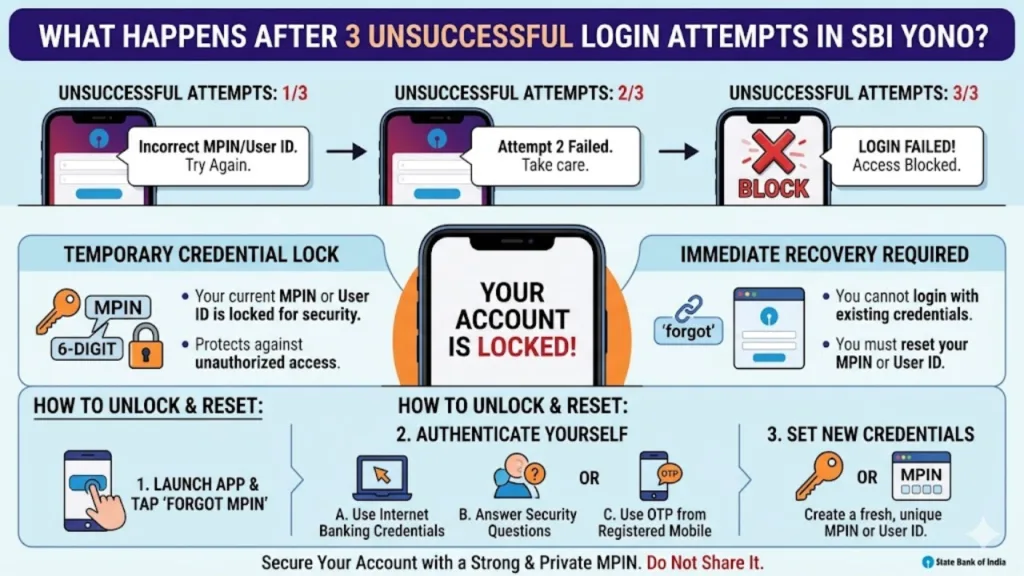
What Happens After 3 Unsuccessful Login Attempts in SBI YONO?
Security is a top priority. If you enter an incorrect password or MPIN three times consecutively in the SBI YONO app, your access will be temporarily locked as a protective measure against unauthorized access. Here is what you need to know: Temporary Holds: After 3 failed attempts, the system may also place a temporary hold on fund transfers for security reasons until the account is unlocked. How to Unlock - Self-Service (Recommended) : You can unlock YONO yourself using your internet banking credentials. Log in to the desktop portal (YONO Net Banking), go to Profile > Change Login Password / Reset Profile Password. Once you set a new password, your YONO app access will be restored. Branch is last resort: If you have forgotten your internet banking password as well, you may need to visit your home branch with identification to verify your identity and have the account unlocked.
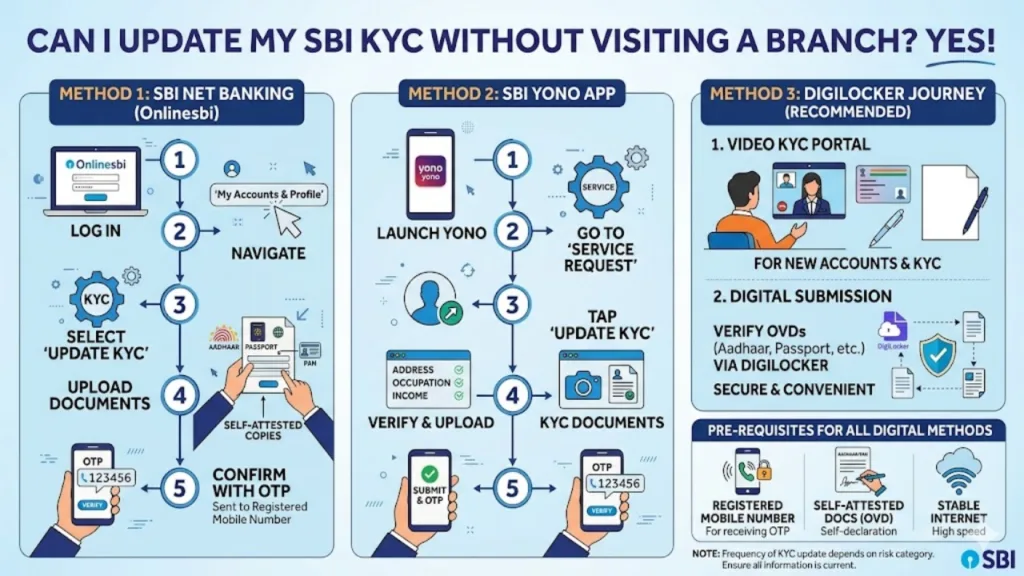
Can I Update My SBI KYC Without Visiting a Branch?
Yes, absolutely. With the introduction of YONO 2.0, SBI has made KYC (Know Your Customer) updates completely digital for the majority of cases. You can update your KYC online without stepping into a branch, and the process is fully paperless. How to update KYC online: Log in to your SBI YONO 2.0 app or YONO Net Banking on your computer. Navigate to the My Accounts & Profile tab or the Requests section. Select the Update KYC option. You will be prompted to upload digital copies of your documents (such as your Aadhaar card or PAN card). The system will verify them. For some KYC updates, a video KYC call may be required. This is a short, live video call with an SBI representative, which can be done directly from the app without leaving your home. Note: If your Aadhaar details have not been updated in the bank’s records, you might need to visit a branch or use the YONO app's video KYC feature to complete the process.
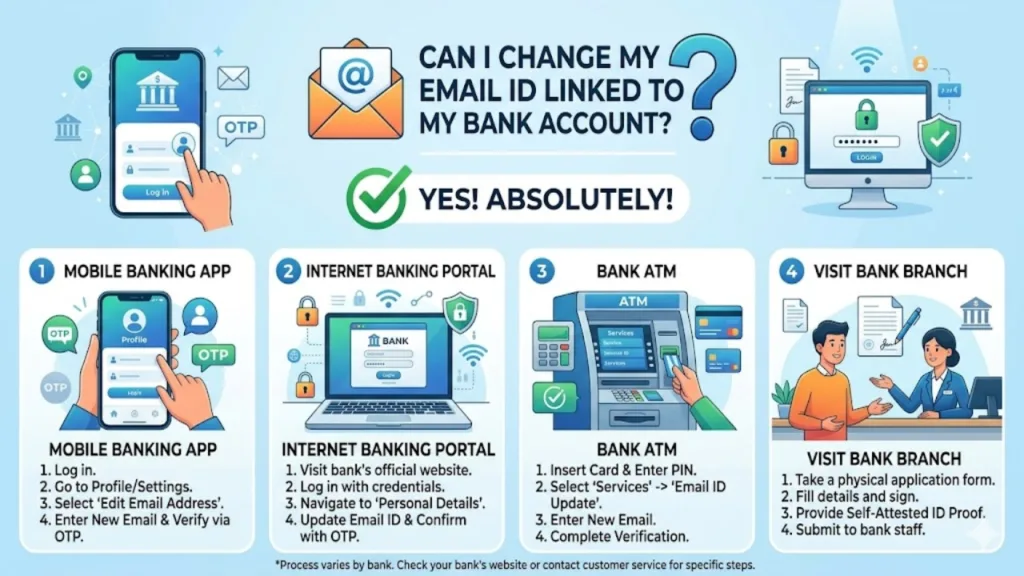
Can I Change My Email ID Linked to My Bank Account?
Yes, as detailed earlier, you can change your registered email ID online. SBI provides two primary digital methods for thiswithout visiting a branch: Via YONO SBI Mobile App: Login → Service Request → Profile → Edit (next to Email ID) → Enter Net Banking password to confirm. Via Internet Banking (Desktop) : Login to SBI's internet banking. Under the 'My Accounts' section, go to Profile → Personal Details → Change Email ID. Select the account, enter the new email, and confirm using an OTP sent to your registered mobile number.
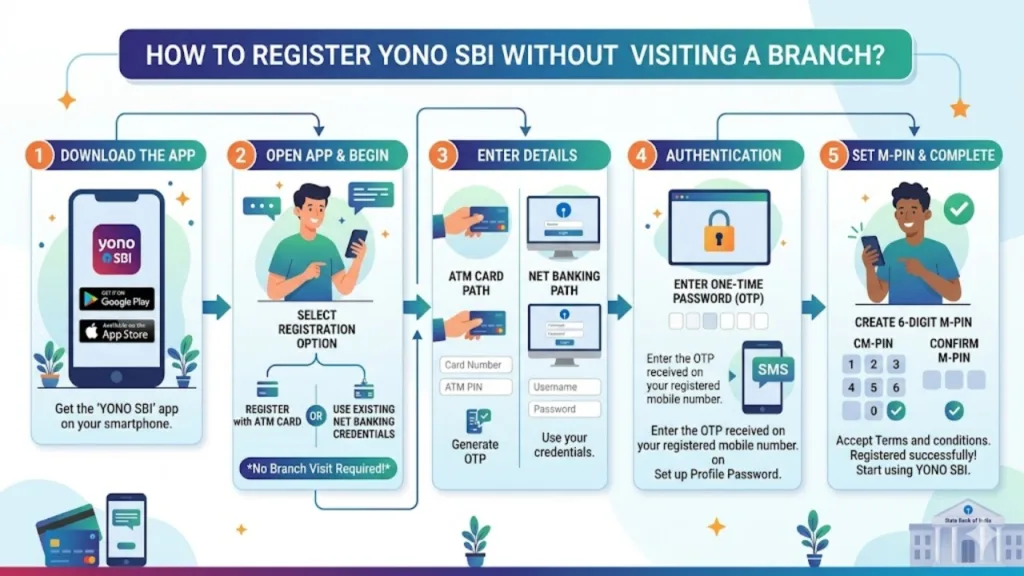
How to Register YONO SBI Without Visiting a Branch?
Registering for YONO SBI is a completely online process, but there are two tracks based on whether you are a new or existing customer. For Existing SBI Customers (Easiest) : Download the YONO SBI 2.0 app from the Google Play Store or Apple App Store. Open the app and tap Login. Select Existing Customer. Log in using your existing internet banking username and password. Set up your MPIN (a 4-6 digit numeric password for quick app login), and you are registered instantly. For New Customers (Opening a New Account) : Download the YONO SBI 2.0 app. Tap New to SBI or Open Savings Account. Select Without Branch Visit. Complete the Video KYC process using your Aadhaar and PAN. The bank will verify your details digitally, and your YONO account will be activated almost immediately.
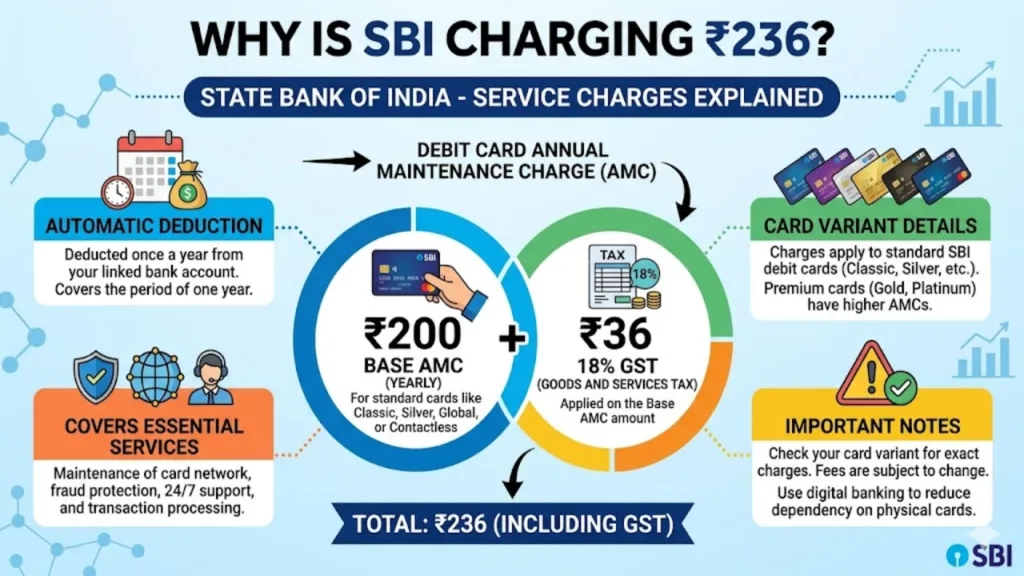
Why is SBI Charging 236 Rupees?
If ₹236 has been deducted from your SBI account, there is likely no reason to be alarmed. It is not a hidden penalty or a scam in almost all cases. It is the Annual Maintenance Charge (AMC) for your SBI Debit Card. Here is the breakdown: Many SBI debit cards (Classic, Silver, Global, and Contactless cards) have an annual fee of ₹200 + 18% GST. The 18% GST on ₹200 comes to ₹36. Total deduction = ₹200 + ₹36 = ₹236. This charge is typically debited from your savings account once a year, often at the end of the financial year or around your card's issue date. If you have a premium debit card, the amount may be slightly higher. This is a routine, transparent fee for keeping your ATM/Debit card active.
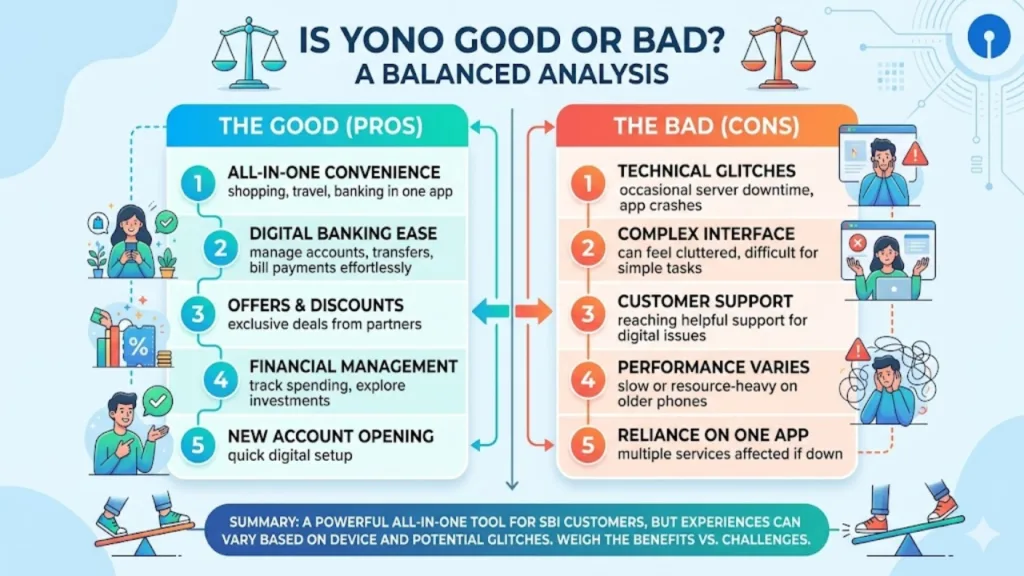
Is YONO Good or Bad?
The answer is nuanced and depends on your perspective. SBI YONO 2.0 is a massive leap forward from the older version, but it is not perfect. Positive (Good) : YONO 2.0 is significantly faster and has fewer bugs than version 1.0. The addition of video KYC, instant account opening, and cardless cash withdrawal (YONO Cash) are excellent features appreciated by most users. The integration with CIBIL Score for free credit monitoring is also a major plus. Negative (Bad) : Despite improvements, many users still report that OTPs arrive slowly, leading to transaction failures. Some critical features (like fund transfers) have been known to fail after certain updates. The platform is also heavily criticized for offering a poor experience on lower-end smartphones. Verdict: YONO is Good, but not Great. For standard banking—checking balance, transferring money, paying bills—it gets the job done faster than visiting a bank. For advanced or time-sensitive financial tasks, it still has occasional reliability issues that can be frustrating.
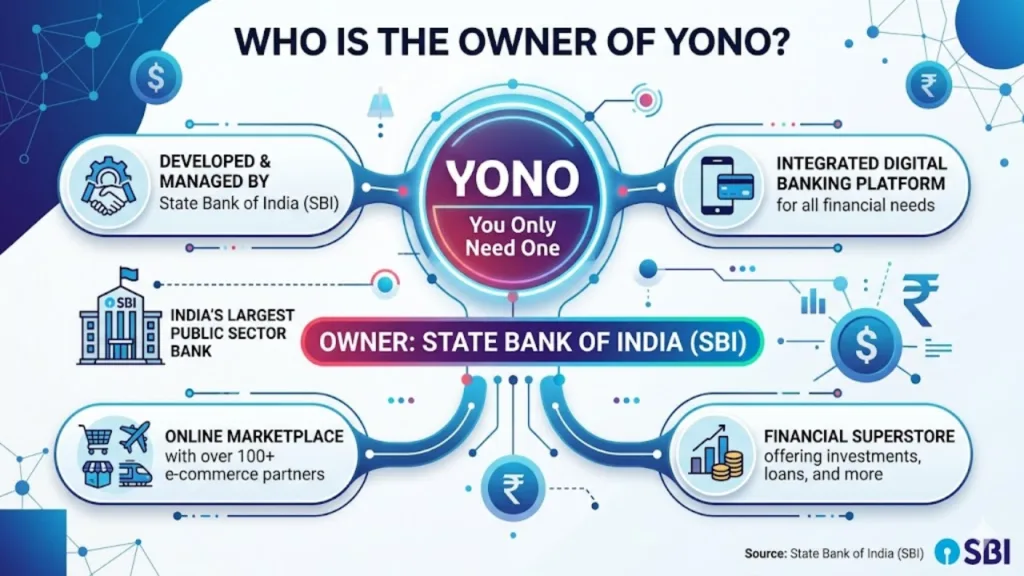
Who is the Owner of YONO?
YONO is owned and operated by the State Bank of India (SBI). It is not a third-party application. The trademark and intellectual property rights belong to the State Bank of India. The platform was conceptualized and rolled out under the leadership of former SBI Chairman Rajnish Kumar, who served as MD and then Chairman of the bank. The current Chairman of SBI, C.S. Setty, is leading the YONO 2.0 expansion and has stated that the bank aims to double its YONO user base to 20 crore (200 million) users. Interestingly, reports in early 2026 indicated that SBI is actively exploring the possibility of hiving off YONO into a separate subsidiary, which would make it a distinct company still wholly owned by SBI.
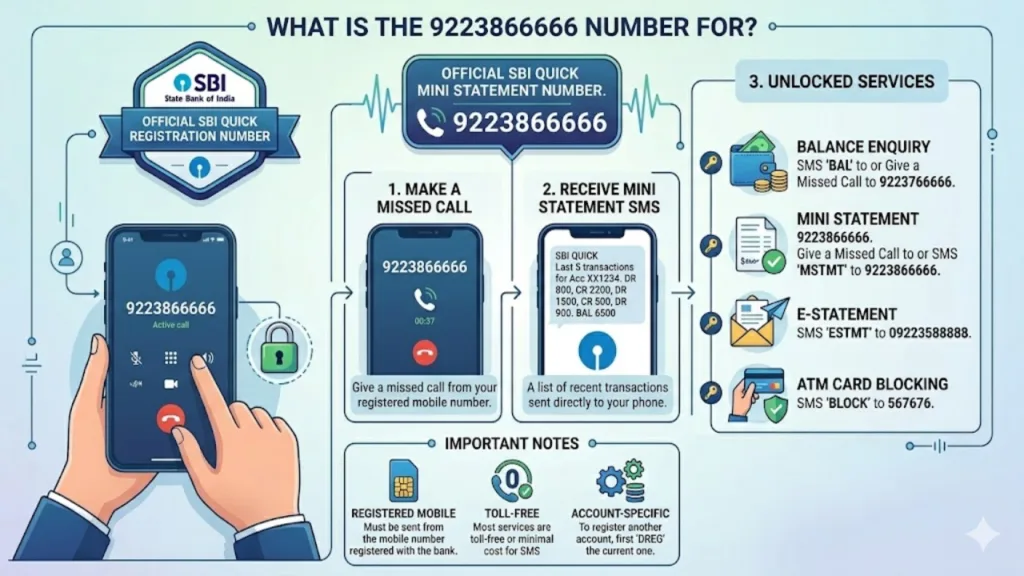
What is the Number 9223866666?
The number 9223866666 is SBI’s dedicated Missed Call and SMS Mini-Statement Service. This is the simplest way to see your last 5 to 10 transactions without logging into the app. Via Missed Call: From your registered mobile number, give a free missed call to 9223866666. You will instantly receive an SMS with your account's mini statement. Via SMS: You can also send an SMS with the text MSTMT to 9223866666 from your registered mobile number to receive your mini statement. Differentiating SBI Numbers: 09223488888: Used primarily for balance enquiry. 9223866666: Used primarily for mini statement (last 5 transactions).
What is the Minimum Amount for SMS Alert in SBI?
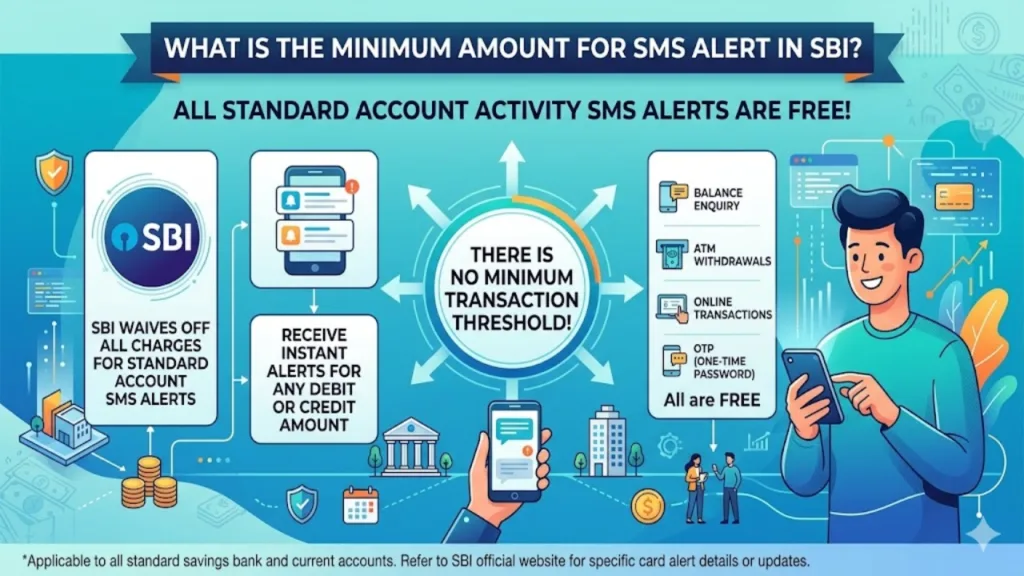
The minimum threshold amount for receiving an SMS alert in SBI is ₹5,000. This applies to both credit alerts (money coming into your account) and debit alerts (money going out of your account). If a transaction is below ₹5,000, the bank's default setting is to not send an SMS alert for it. However, this is not a fixed rule. As a customer, you can customize this threshold in your YONO settings. You are allowed to set the trigger lower (e.g., ₹500) so you get alerts for all transactions, regardless of size. You can also set a higher limit (e.g., ₹50,000) if you only want alerts for large transactions.
Conclusion: Navigating SBI Digital Banking in 2026
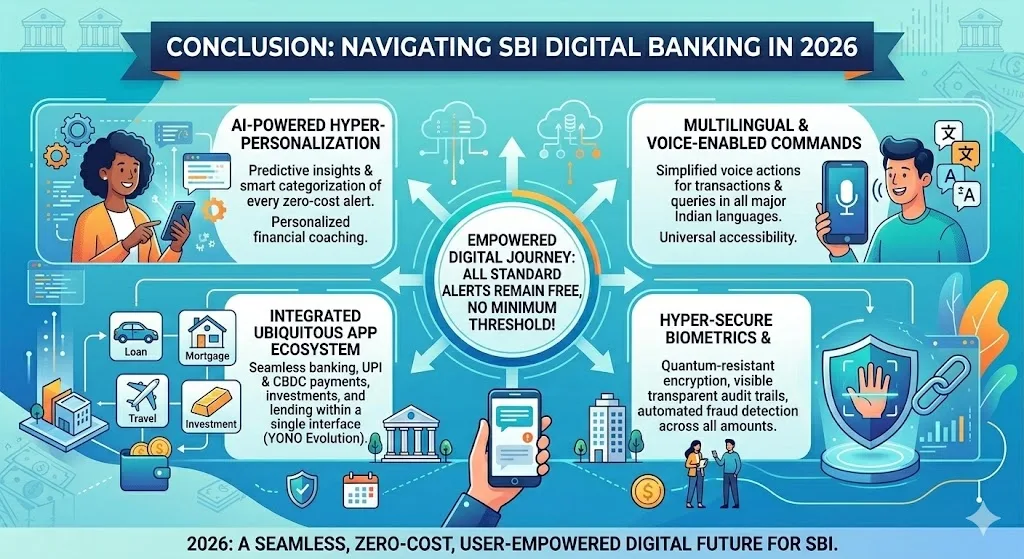
As of May 12, 2026, understanding SBI's unified YONO 2.0 platform is key to managing your finances effectively. While the system has evolved to become more integrated and user-friendly, with features like video KYC and cross-device synchronization, it is still a system under active development. The bank is aggressively pushing for digital adoption, and being aware of the common issues, such as SIM authentication errors or the ₹236 debit card fee, will save you time and frustration. By using the solutions and steps provided in this guide, you can confidently handle most of your banking needs without stepping into a branch.
FAQs: People Also Ask
This detailed guide provides clear answers to the most common questions about SBI's digital banking services, specifically as they stand in May 2026. With the launch of YONO 2.0, SBI has significantly transformed its digital offerings by merging its mobile app and internet banking into…
This detailed guide provides clear answers to the most common questions about SBI's digital banking services, specifically as they stand in May 2026. With the launch of YONO 2.0, SBI has significantly transformed its digital offerings by merging its mobile app and internet banking into…
This detailed guide provides clear answers to the most common questions about SBI's digital banking services, specifically as they stand in May 2026. With the launch of YONO 2.0, SBI has significantly transformed its digital offerings by merging its mobile app and internet banking into…
This detailed guide provides clear answers to the most common questions about SBI's digital banking services, specifically as they stand in May 2026. With the launch of YONO 2.0, SBI has significantly transformed its digital offerings by merging its mobile app and internet banking into…
This detailed guide provides clear answers to the most common questions about SBI's digital banking services, specifically as they stand in May 2026. With the launch of YONO 2.0, SBI has significantly transformed its digital offerings by merging its mobile app and internet banking into…

Timesbull
Next Article
Hyundai Ioniq V Unveiled – 600 KM Range EV Charges From 10-80% In Just 18 Minutes
If you've been waiting for an electric car that not only looks like something out of a science-fiction movie but also charges faster than your smartphone, the Hyundai Ioniq V is poised to capture your attention. Recently unveiled at the 2026 Beijing Auto Show, this


If you’ve been waiting for an electric car that not only looks like something out of a science-fiction movie but also charges faster than your smartphone, the Hyundai Ioniq V is poised to capture your attention. Recently unveiled at the 2026 Beijing Auto Show, this car is the true production incarnation of Hyundai’s “Venus Concept.”
With a range of over 600 kilometers and Hyundai’s signature 800V fast charging technology, this electric sedan is poised to revolutionize the Chinese market. With premium features and an AI-powered cabin, the Ioniq V is poised to redefine electric mobility.
Write a Comment