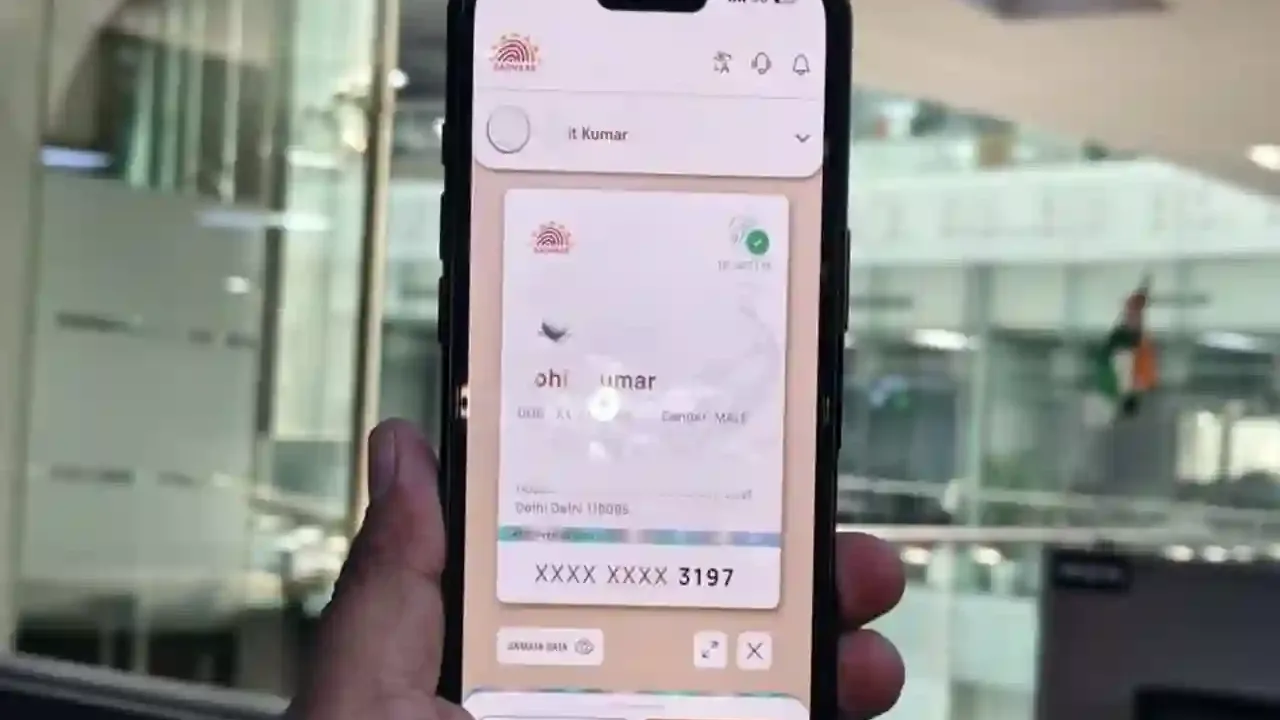
New Aadhaar App: The new Aadhaar app, launched to make digital identity easier and more secure in India, is rapidly gaining popularity. Within just three months of its launch, the app has been downloaded more than 21 million times. With its help, many important Aadhaar-related services are now available at people’s fingertips, making everyday tasks much easier than before.
Through this app, users are able to update their Aadhaar-linked mobile number and address anytime, anywhere. According to data, more than 2.8 million people have updated their mobile numbers through the new Aadhaar app so far, while nearly 600,000 users have used the platform to change their addresses.
If you’re still using the mAadhaar app on your smartphone, you can easily switch to the new platform. UIDAI launched this new Aadhaar app in January 2026. Equipped with improved design, robust security, and advanced privacy features, this app isn’t just an upgrade over the old version, but also makes Aadhaar identification completely digital, secure, and user-friendly.
Why was the new Aadhaar App created?
Up until now, many individuals have been sharing photocopies or complete Aadhaar card details for purposes like hotel check-ins, KYC, or identity verification, which has raised issues regarding data security and privacy.
The new Aadhaar app is designed to tackle this issue. As per UIDAI, users will now have the ability to share only the essential data with an organization or individual, without needing to disclose their entire Aadhaar information.
What is the new Aadhaar App?
The new Aadhaar App is UIDAI’s advanced digital identity platform, transforming your smartphone into a secure storage for your digital identity. It enables you to access various Aadhaar-related services without the need for any physical documents.
Key features of the new Aadhaar App
Share information as required
There will no longer be a need to provide full Aadhaar details. Only the necessary information can be shared via QR codes and digital credentials.
One-click biometric lock and unlock
Users can lock or unlock their fingerprint and iris data directly from the app, enhancing the security of Aadhaar.
Users will have the ability to track when and where their Aadhaar was utilized. A face verification option is also available for identity confirmation, simplifying the process.
Quick verification with QR code
Aadhaar verification can be completed by scanning the QR code in just a few seconds. You can also add Aadhaar profiles of other family members to the same device. Users can update their mobile numbers linked to Aadhaar through the app. More services are anticipated to be introduced in the future.
As per UIDAI, From entry to offices to housing societies, identity verification has become simpler with Aadhaar App. Enjoy the benefit of a seamless Aadhaar Experience.
How to download the new Aadhaar App?
Android users
Open Google Play Store.
Search “Aadhaar”.
Confirm UIDAI as the developer.
Install the app.
Complete the verification through the mobile number linked to Aadhaar.
iPhone users
Open the Apple App Store.
Search “Aadhaar”.
Download the official app published by UIDAI.
Complete the setup by verifying the mobile number.
How to switch from mAadhaar to the new Aadhaar App?
If you are using the mAadhaar app, you will have to register again in the new app.
Download the new Aadhaar App.
Give the necessary permissions (camera, SMS, etc.).
Enter your 12 digit Aadhaar number.
Verify the mobile number through OTP.
Complete face authentication if required.
Set a PIN for security.
Activate the biometric lock/unlock feature.
From entry to offices to housing societies, identity verification has become simpler with Aadhaar App. Enjoy the benefit of a seamless Aadhaar Experience.
Download the #AadhaarApp today – https://t.co/X1ymzxksIZ#PaperlessAadhaar #Aadhaar #DigitalIdentity #NoPhotocopy pic.twitter.com/HMRB9FXuyK— Aadhaar (@UIDAI) June 9, 2026